
Use the Voicemail Step to allow the caller to leave a voicemail if no one answers the call.
The voicemail step supports two types of greetings as well as transcriptions.
- Text to Speech - Converted text to speech audio to "say" your message to the caller.
- Audio - Play an uploaded audio file to the caller. MP3 and Wav audio files supported.
Note A "beep" will be played to the caller after your greeting to indicate to the caller to leave their message.
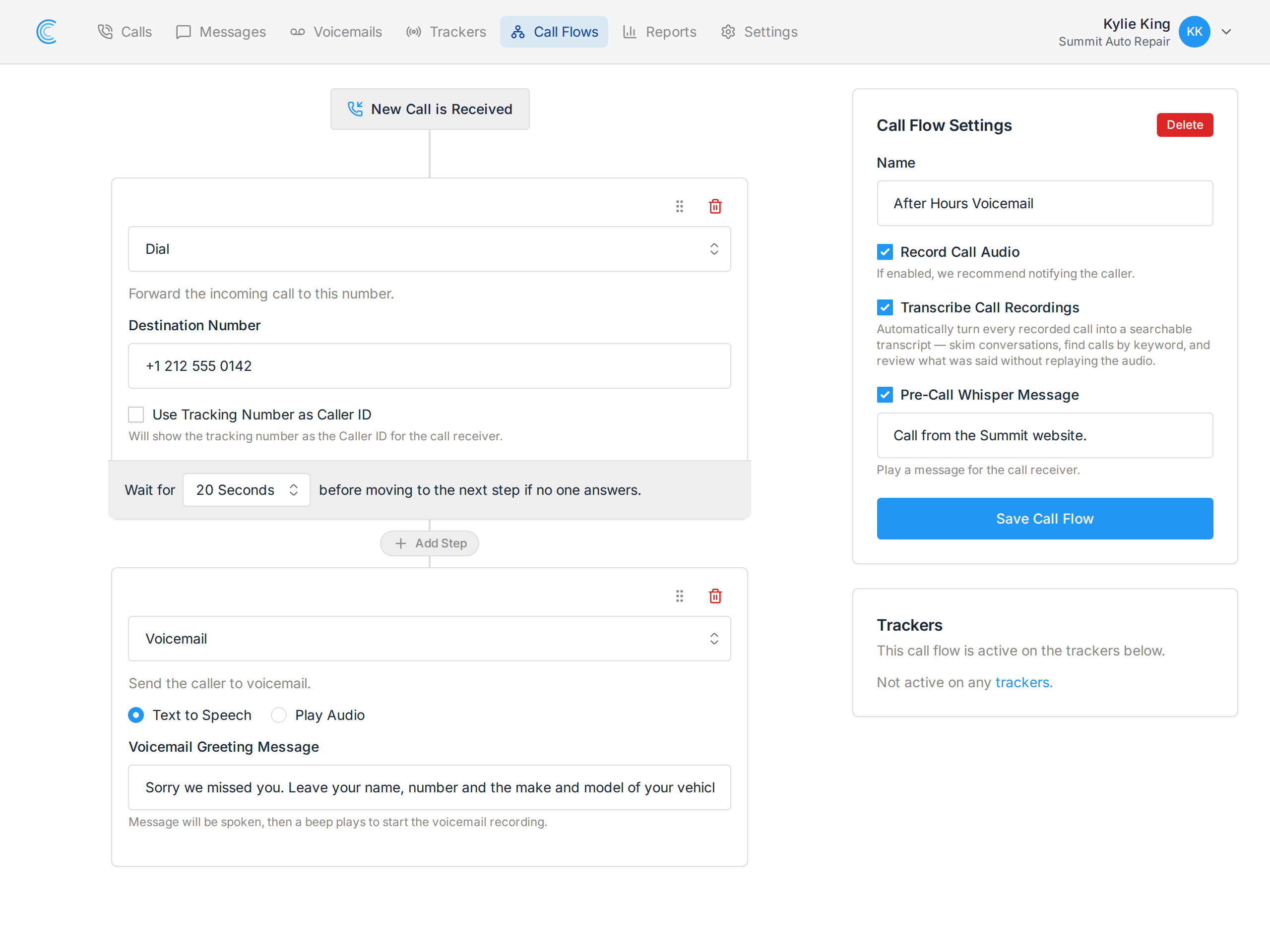
Voicemail Text Greeting
Example voicemail greeting text that will be spoken to the caller before they leave a message.
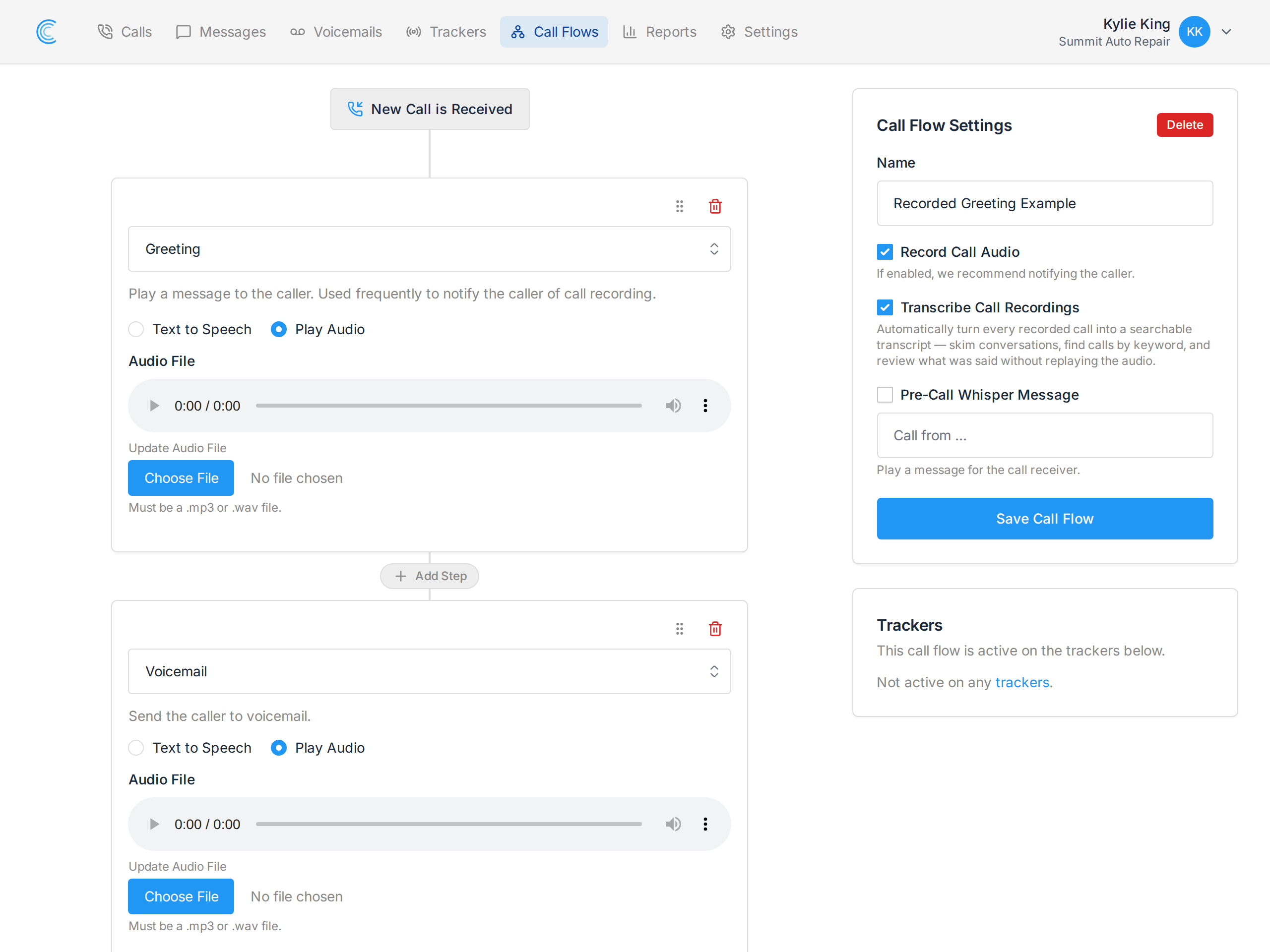
Voicemail Audio Greeting
Example voicemail greeting audio that will be played to the caller before they leave a message.
Voicemail Transcription
Transcription is a Call Flow setting, not a setting on the voicemail step. Tick Transcribe Call Recordings in the Call Flow Settings panel — on the right of the screenshot above — and every voicemail left on this flow is transcribed to text automatically.
The transcription appears on the voicemail's details and is included in the email notification, so you can read a message instead of listening to it. See Voicemail Transcriptions.