
Adding value to calls helps you keep track of the value brought in by each of your tracking numbers and marketing sources. You can add call values by hand, or have them applied automatically to answered calls.
Manually Add Call Values
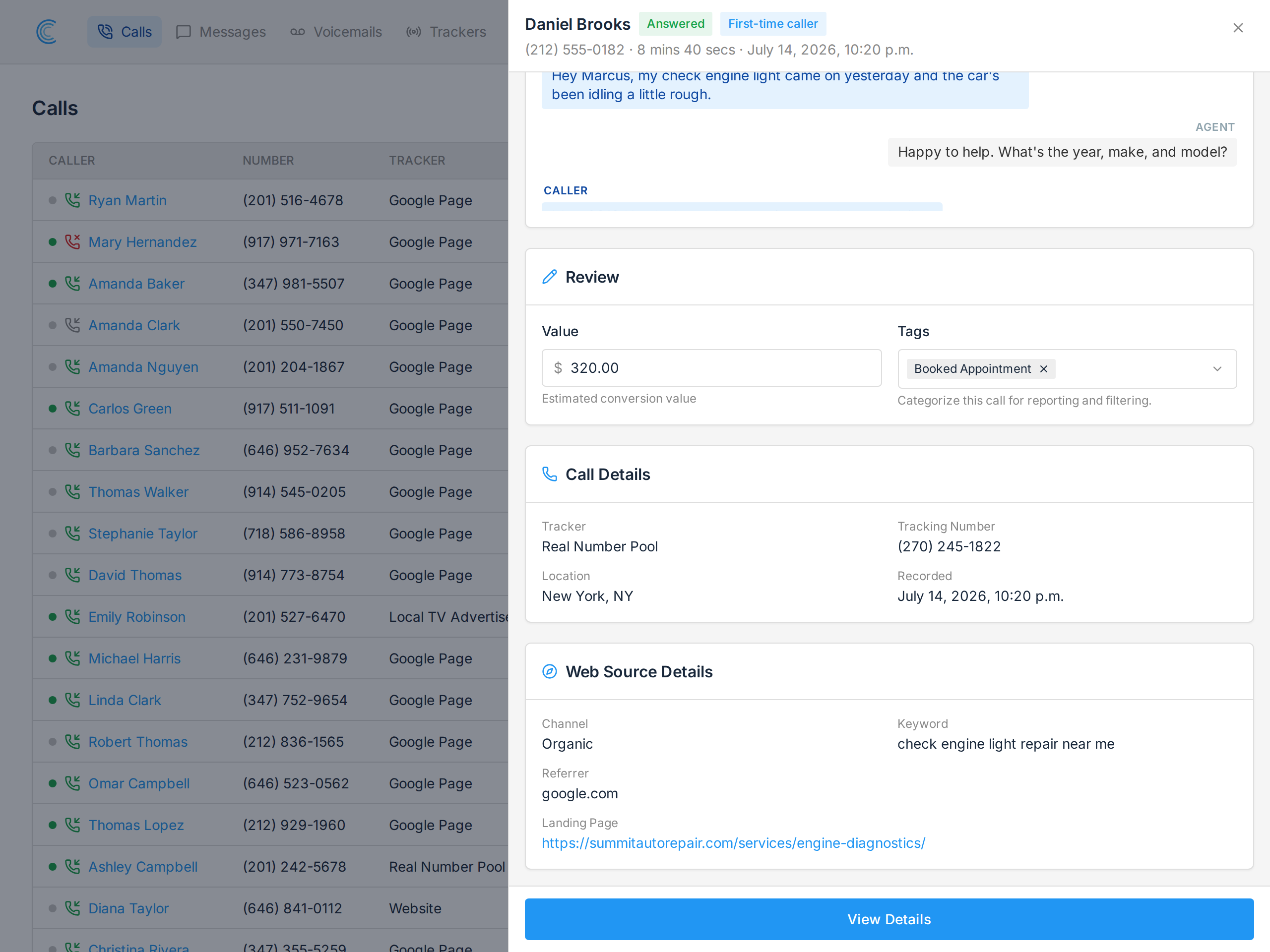
The quickest way is from the call list. Press Add + in the Value column and a review panel slides out with a Value field in the Review card. Type the amount and it saves as you go, without the list reloading or losing your place.
You can also set the value on the full Call Details page.
Automatically Add Call Values
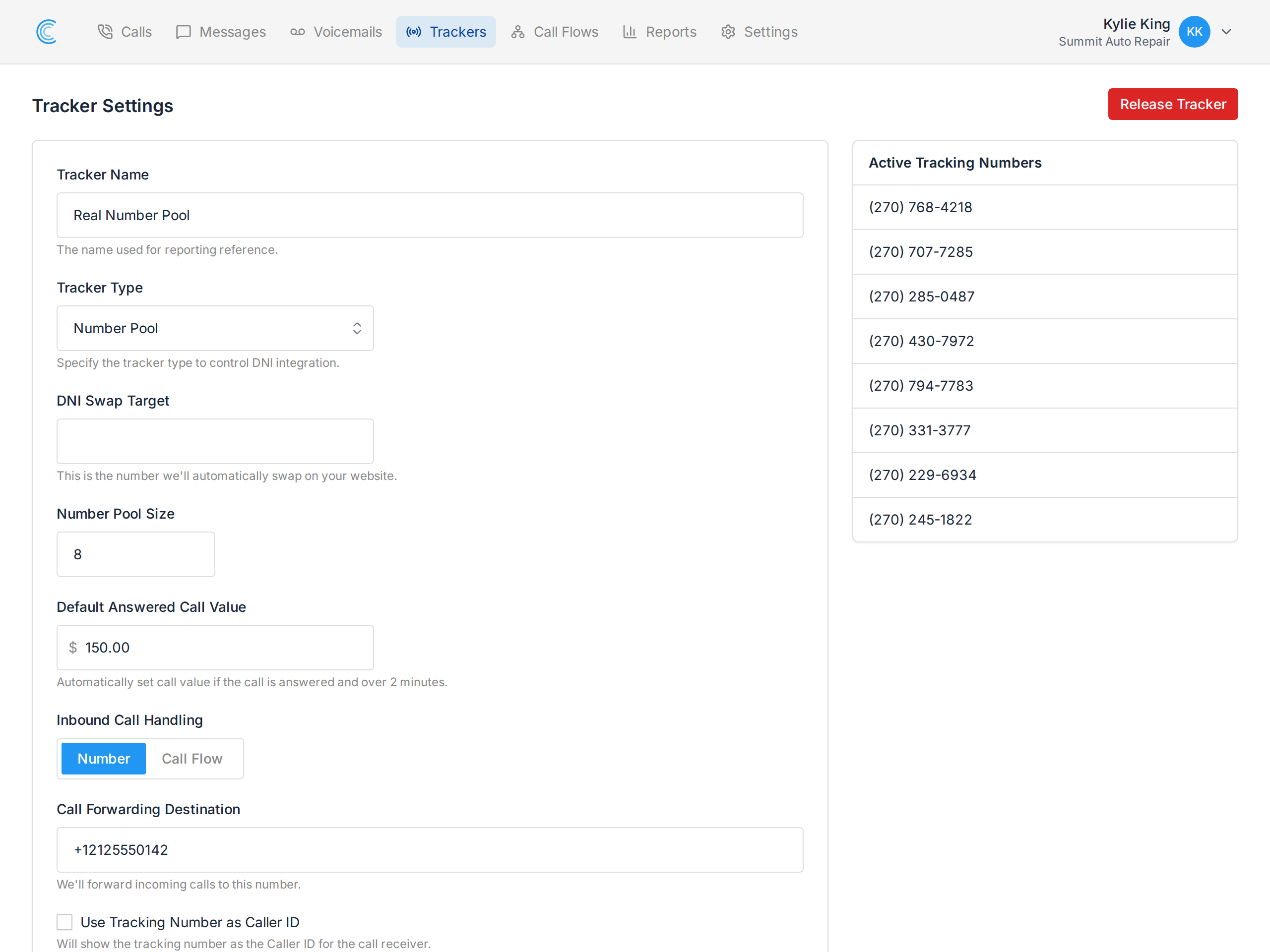
You can have a value applied automatically to any answered call lasting more than two minutes, by setting the Default Answered Call Value in your Tracker Settings.
Sort & Filter by Call Values
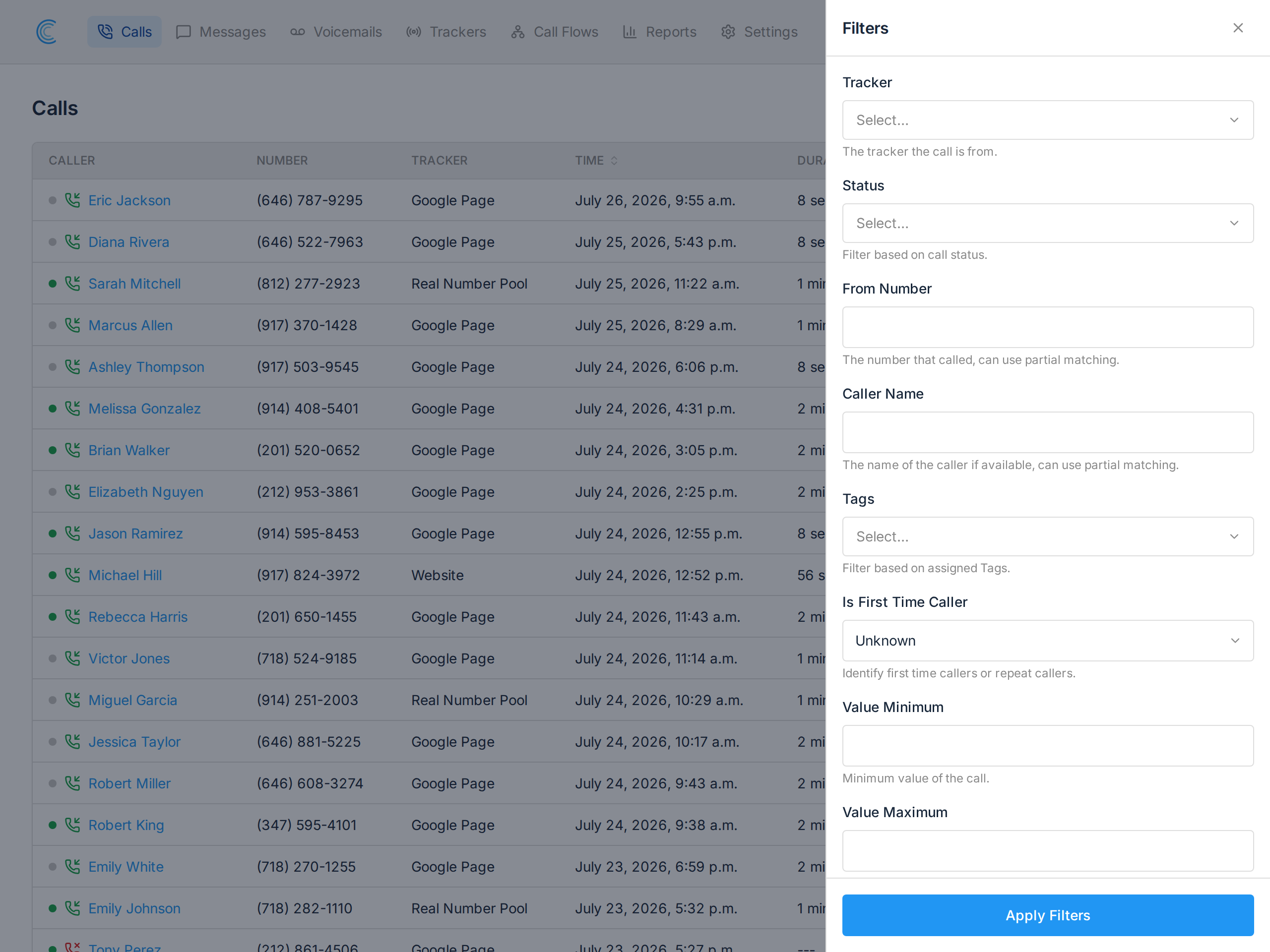
The call list can be sorted by the Value column. To narrow to a range instead, press Filters and use Value Minimum and Value Maximum, then press Apply Filters.
Calls by Value Report
Once your calls carry values, the Calls by Value report summarizes them so you can spot which trackers and campaigns are bringing in the most.