
With a custom domain your clients sign in at calls.youragency.com instead of our address, and never see the Call Tracker name.
It takes two steps: add the domain here, then point it at us with one DNS record.
Before you start Branding only appears once the Agency Edition is on and your plan includes white label.
Add the Domain in Branding
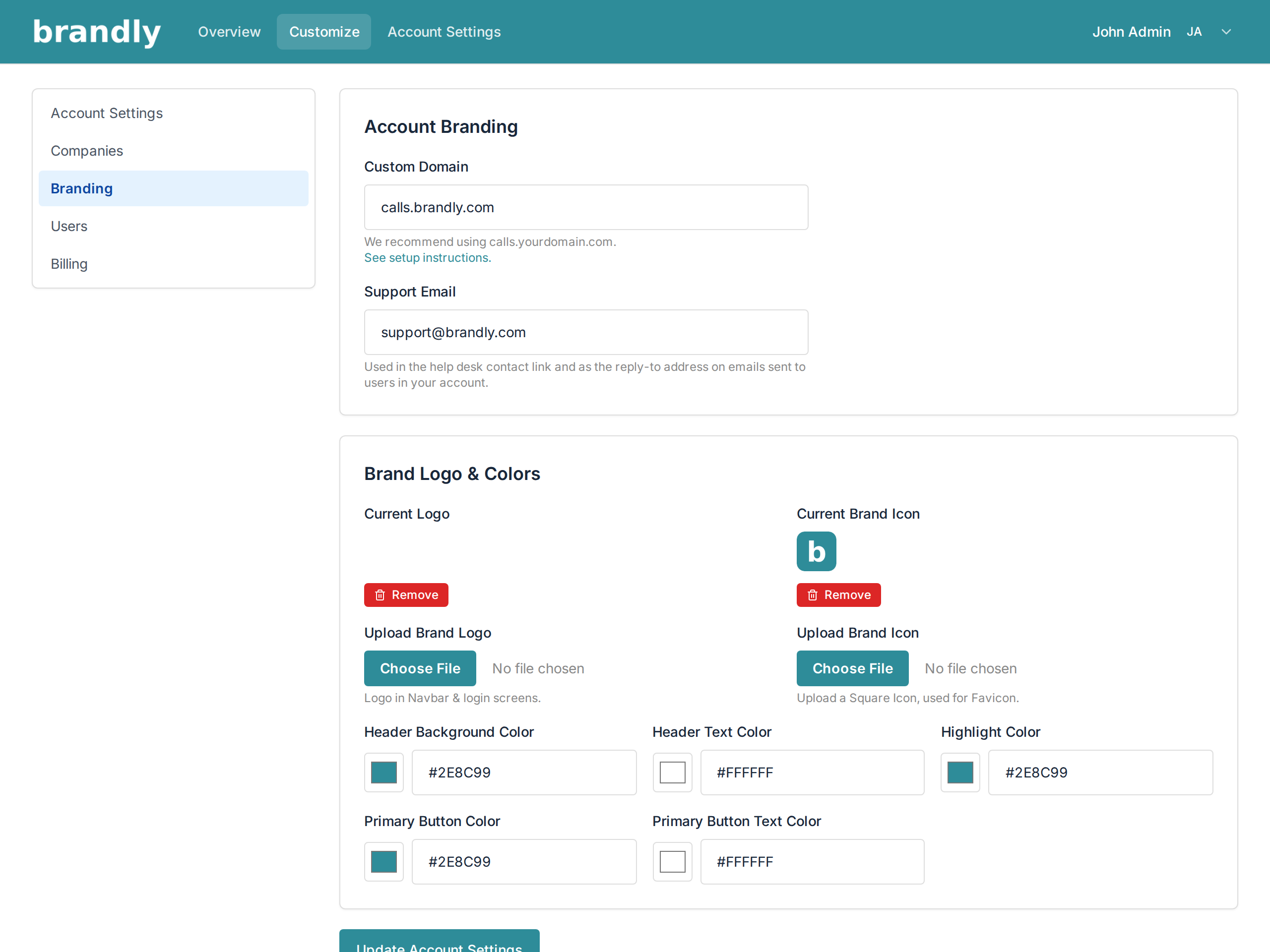
Click your name in the top right, choose Manage Account, then Branding in the left-hand menu.
Type your subdomain into Custom Domain and press Update Account Settings at the bottom of the page.
It must be a subdomain. calls.youragency.com works; youragency.com on its own does not, because a root domain can't carry the DNS record this needs. We recommend calls. — short, obvious to clients, and it leaves your main website untouched.
Create the DNS Record
Now go to wherever your domain's DNS is managed — your registrar, or a provider like Cloudflare or Route 53 — and add:
| Field | Value |
|---|---|
| Type | CNAME |
| Name / Host | the subdomain only, e.g. calls |
| Value / Target | whitelabel.calltracker.io |
| TTL | leave at the default |
Most DNS hosts want only the subdomain part in the Name field, not the whole address — entering calls.youragency.com there often produces calls.youragency.com.youragency.com. If your host does want the full name, it will usually show you a preview.
Wait, Then Check
DNS changes take anything from a few minutes to a few hours to spread. When it's ready, open https://calls.youragency.com and you should land on your branded sign-in page.
If you get a certificate warning or a "not found" error immediately after making the change, wait and try again before changing anything — that's what propagation in progress looks like.
Common Problems
- Nothing loads after several hours. Check the record is a CNAME and not an A record, and that the target is exactly whitelabel.calltracker.io with no trailing text.
- It loads our branding, not yours. The domain is working; the branding isn't set. Add your logo and colours — see Customize Your Call Tracker Account.
- Google sign-in is missing on your domain. That's expected. Google requires every sign-in domain to be registered in advance, so clients on a custom domain use the email code instead. See Signing In.
- The domain field cleared itself. Branding fields are wiped if the account moves to a plan without white label.