

US mobile carriers block text messages from businesses that have not registered with them. Your tracking numbers can always receive texts, but replying stays off until your account completes SMS Registration. You do it once, and it covers every local number on the account.
What You Need Before You Start
- An active paid plan. SMS Registration is not available during a free trial.
- Account admin access. The page lives in Account Settings, which only account admins can open.
- Your business details, exactly as the IRS has them:
- legal company name, including LLC or Inc.
- EIN
- business address
- business phone number
- a website that loads
The carriers check the legal name and EIN against IRS records. A mismatch is the most common reason a registration is not approved.
What It Costs
These are the carriers' own fees, passed on at cost. They appear on your next invoice.
| Fee | Amount | When |
|---|---|---|
| Business registration | $4.50 | once, when you register your business |
| Carrier review | $15.00 | once, when you submit your SMS registration |
| Monthly fee | $1.50 | every month while SMS replies are on |
Register Your Business
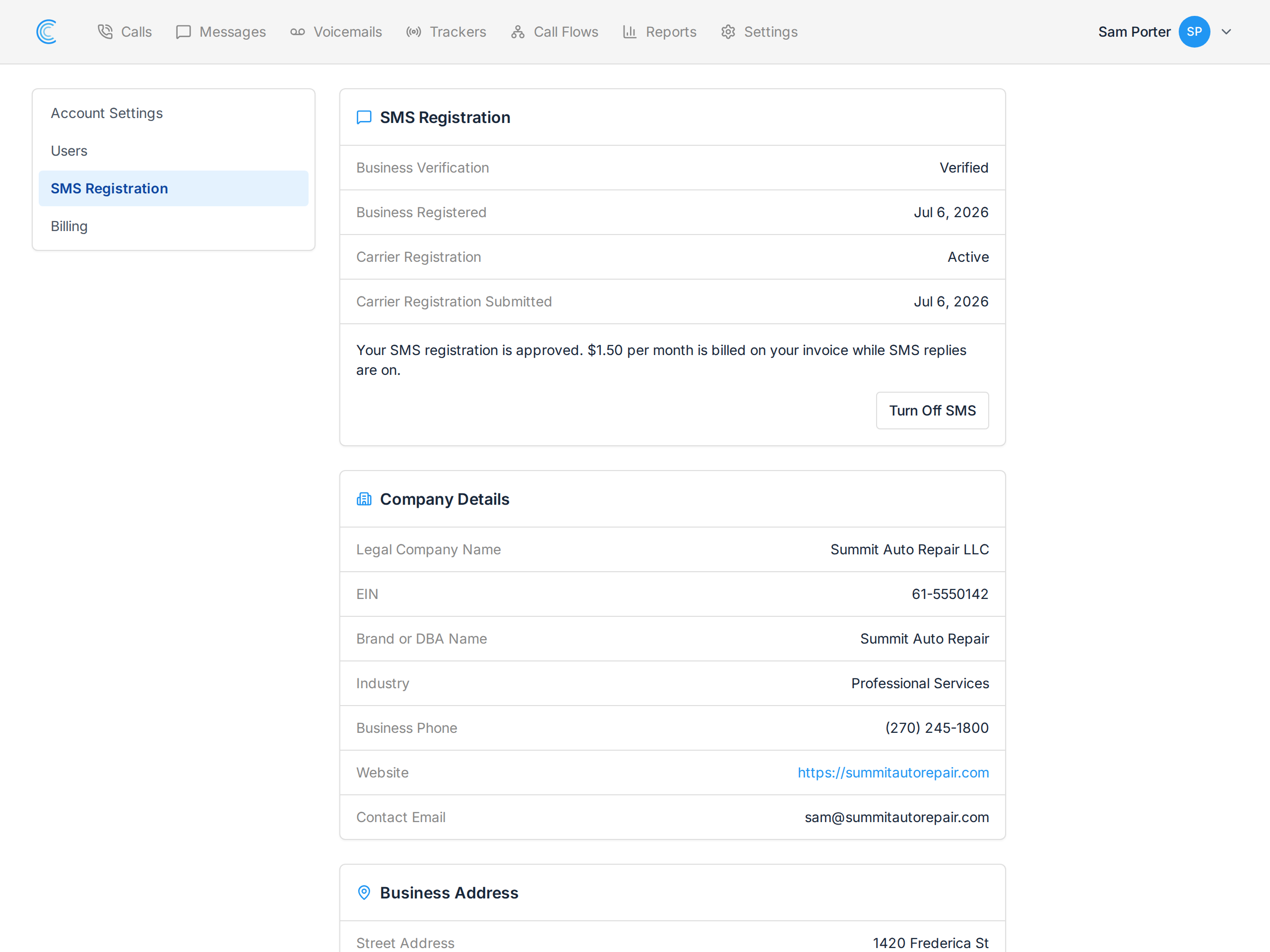
Go to SMS Registration, or click your name in the top right, choose Manage Account, then SMS Registration.
Fill in Company Details and Business Address, tick the box confirming the details are correct, and press Register My Business.
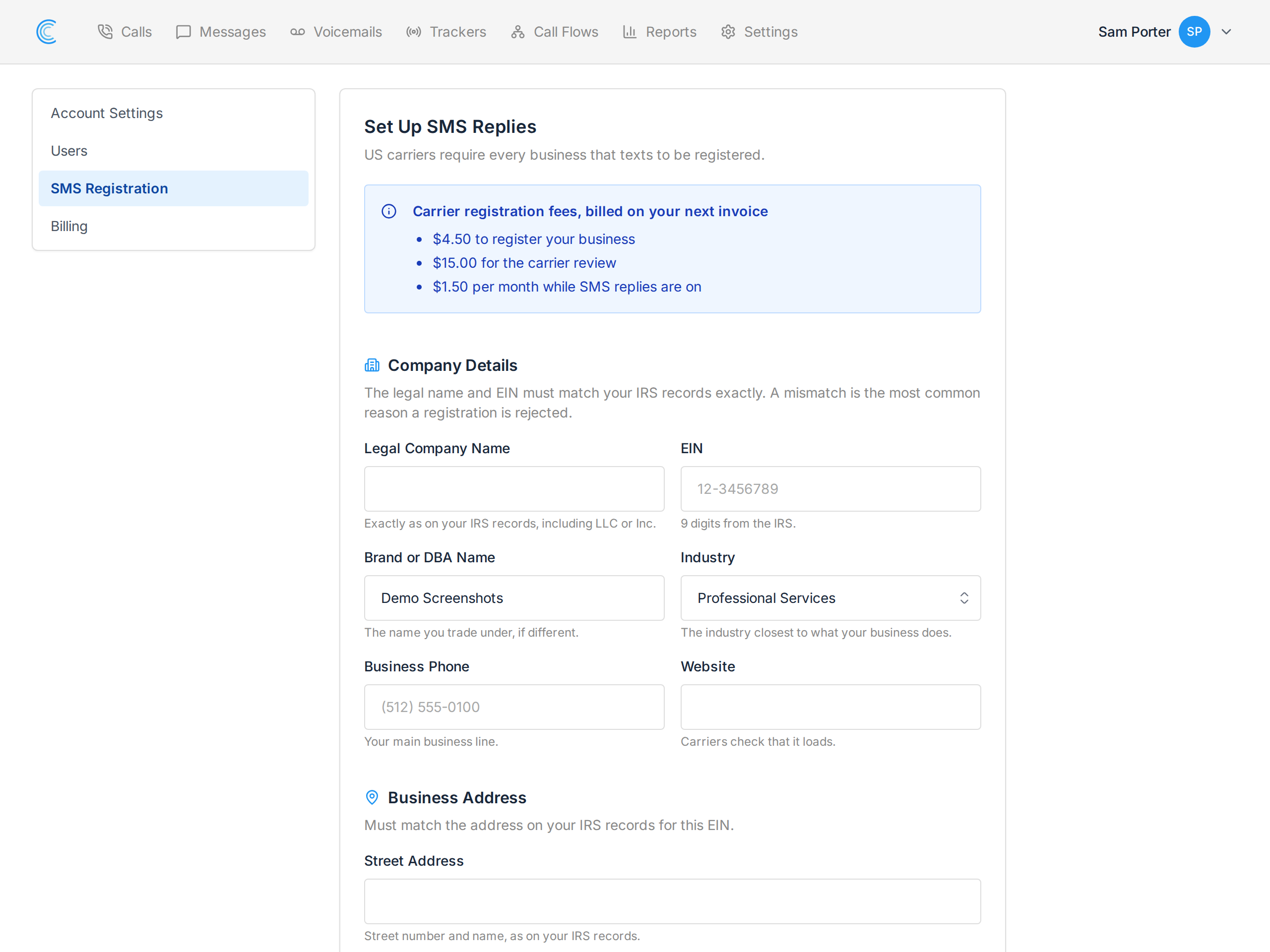
Brand or DBA Name is the name you trade under, if it is different from your legal name.
Submit Your SMS Registration
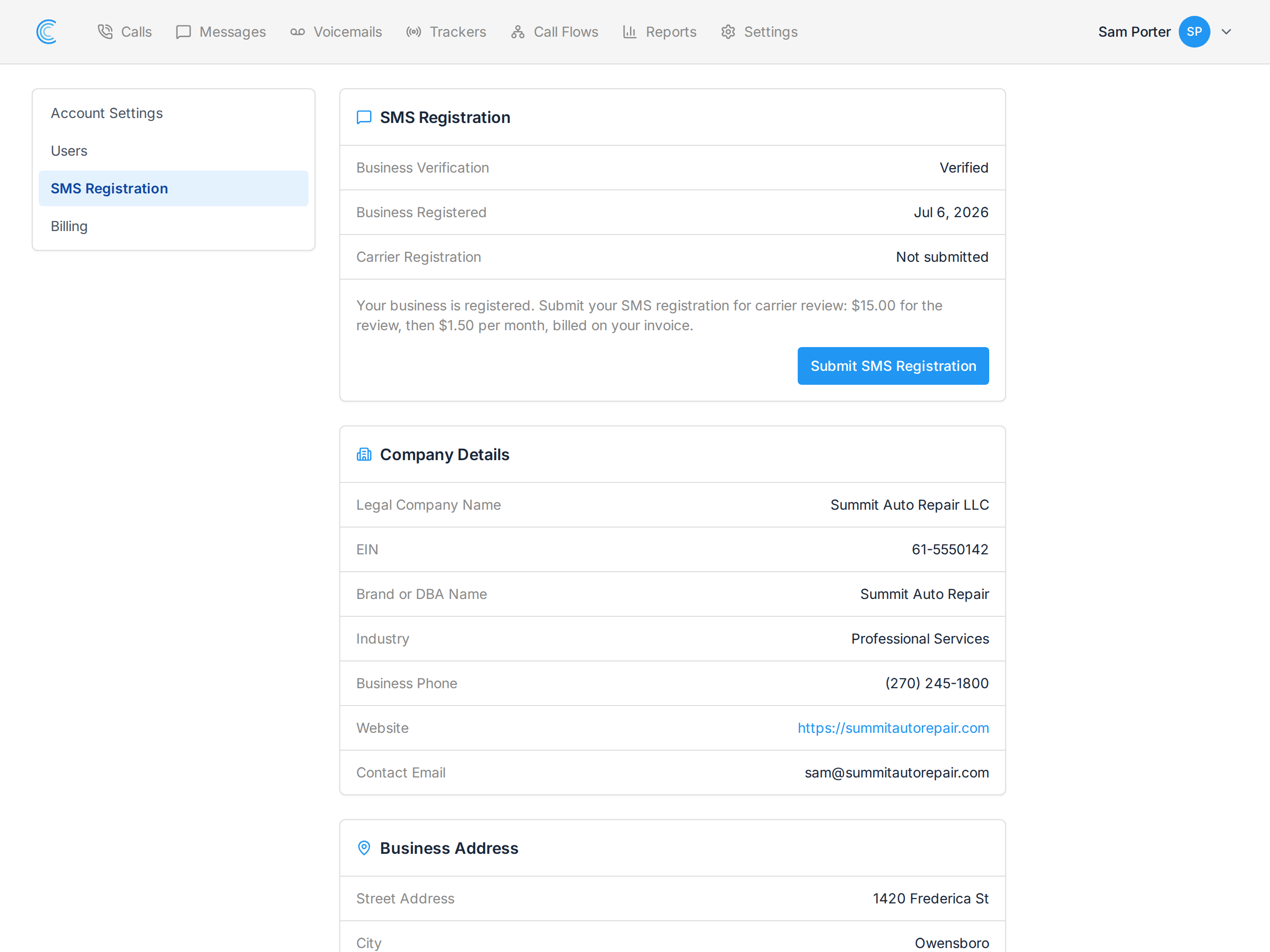
Once your business is registered, the page shows your details and a Submit SMS Registration button. Press it to send your registration to the carriers for review.
While the Carriers Review It
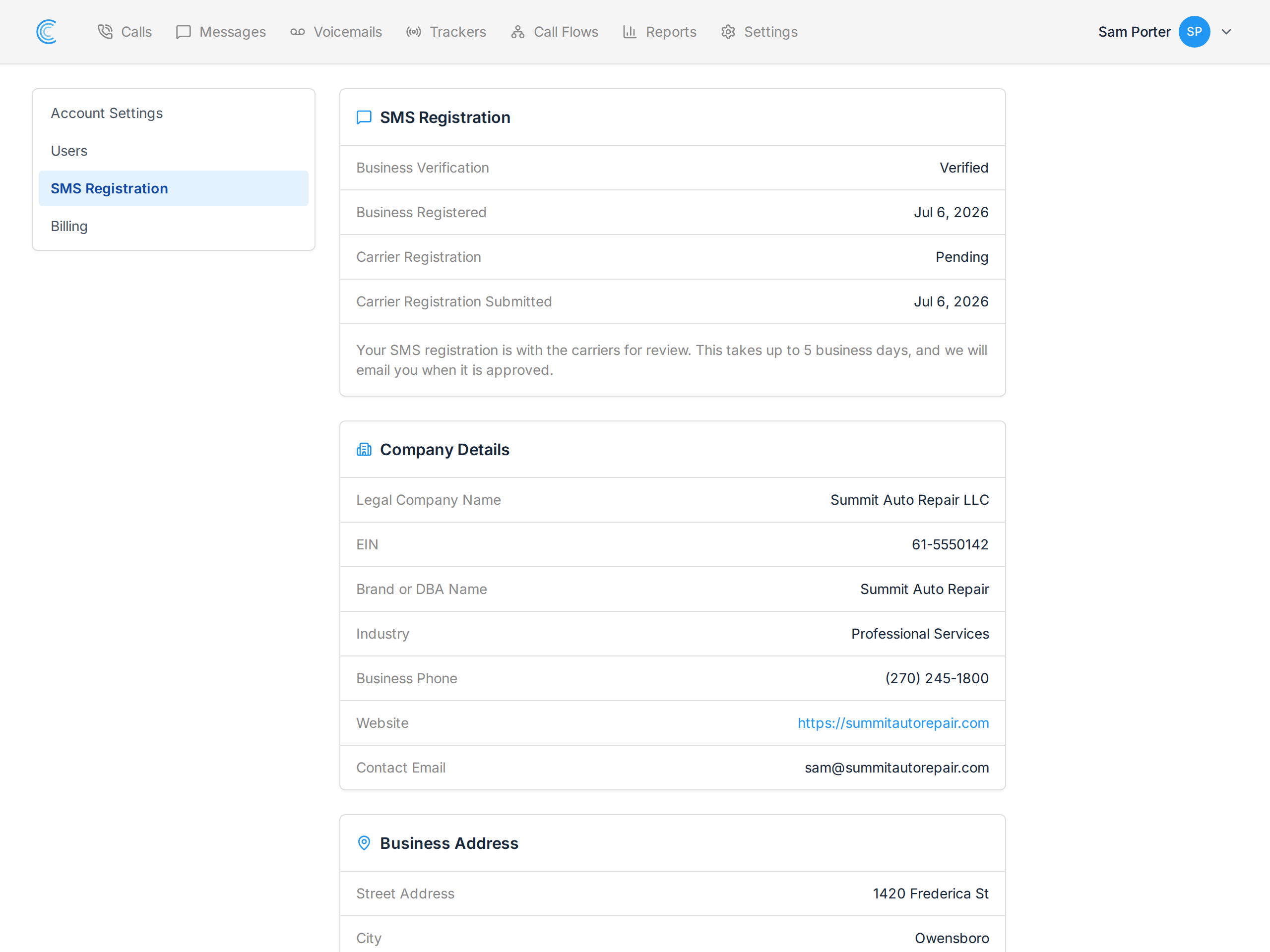
Carrier Registration reads Pending while the carriers review it. This takes up to 5 business days. There is nothing you need to do, and we email the account owner as soon as it is approved.
Reply to a Message
When your registration is approved, a reply box appears under the messages in each conversation. Open Messages, choose a conversation, type your reply and press Send.
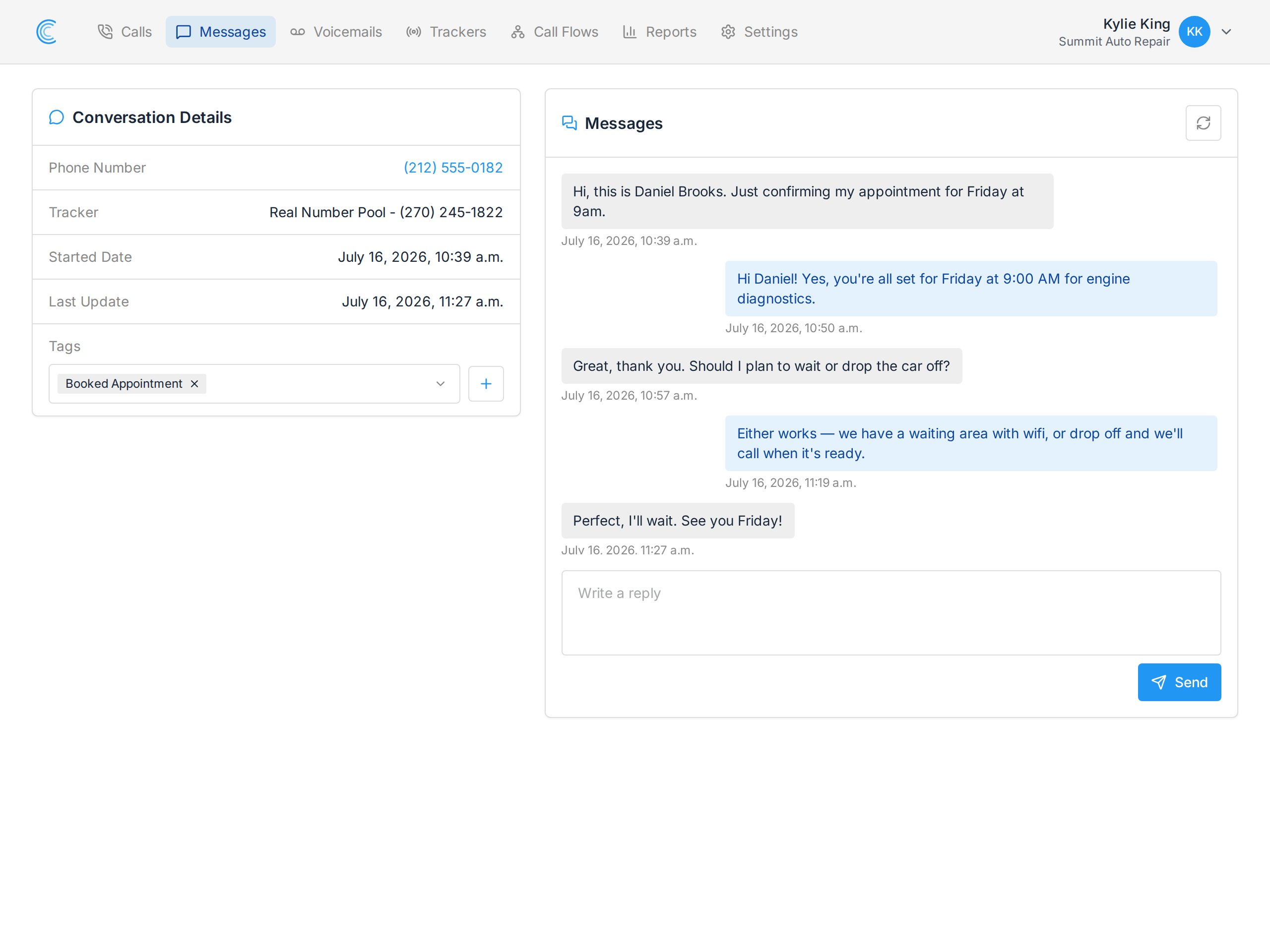
A reply can be up to 160 characters. It is sent from the tracking number the person texted.
Which Numbers Can Reply
- Local numbers on your account can reply.
- Toll-free numbers cannot. Carriers verify those separately, and a toll-free conversation keeps the notice that the number is not eligible.
- A number you add later is included automatically. Allow about 10 minutes after buying it.
When Someone Texts STOP
If a person replies STOP, the carriers block any further texts to them from your account. If you try to reply, the page tells you the contact has opted out, and nothing is sent.
If Your Registration Is Not Approved
The page shows that the carriers did not approve your registration, and we email the account owner.
Email support with the email address of the account owner. We look at the carriers' reason, correct the registration with you and submit it again.
Turn Off SMS Replies
On the SMS Registration page, press Turn Off SMS and confirm.
Turning SMS off is permanent:
- replies stop on all your numbers
- the monthly fee stops from your next invoice
- turning replies back on means a new registration and a new $15.00 carrier review
Your numbers keep receiving texts either way. See Messages Overview for reading and tagging conversations.