
A Call Flow decides what happens when someone rings one of your tracking numbers. You build it from steps, and the call works through them in order — greet the caller, ring the shop, take a voicemail if nobody answers.
One call flow can be used by as many trackers as you like, so you set your call handling up once and point every number at it.
The Step Types
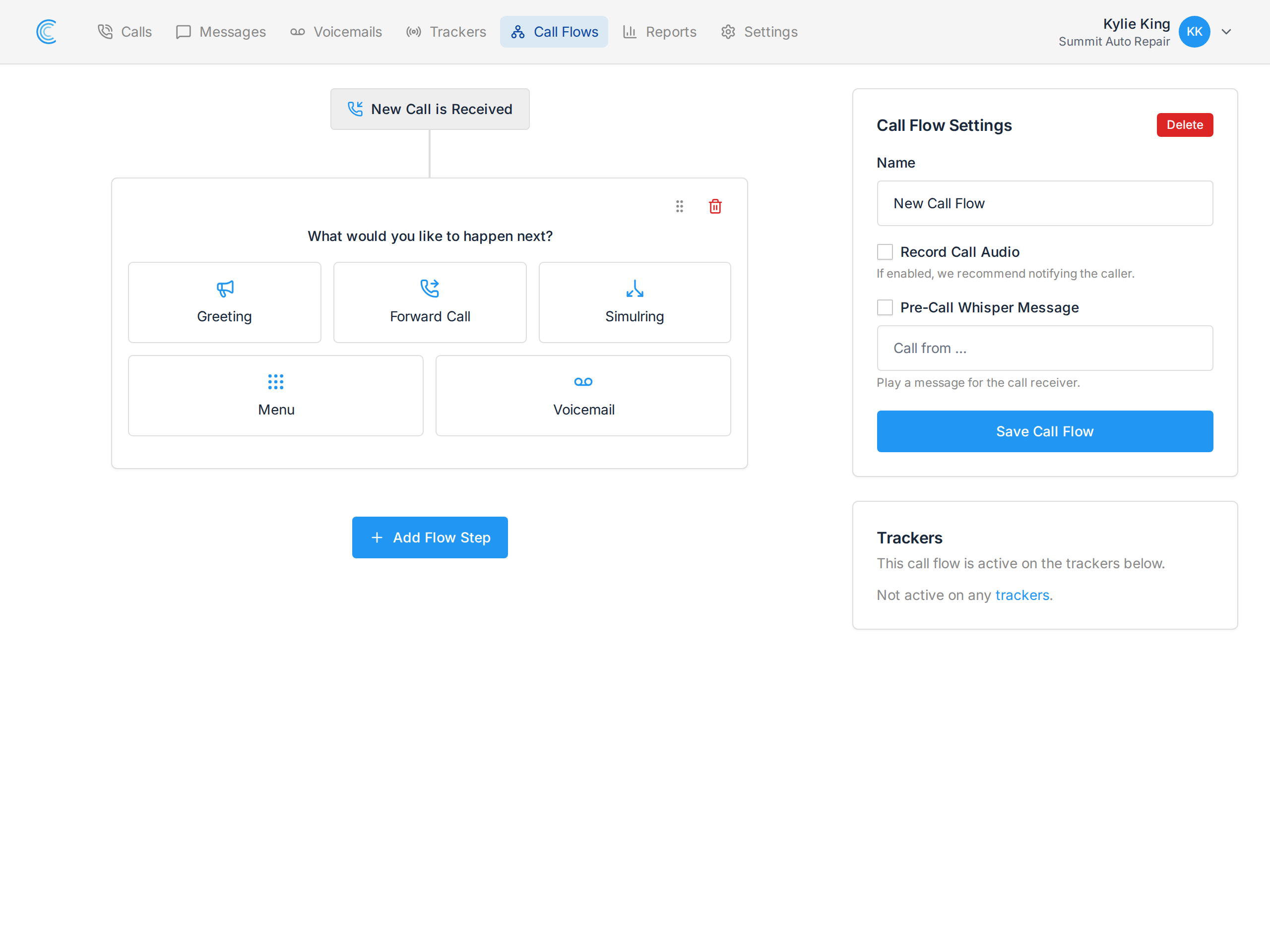
Press Add Flow Step and you're asked what should happen next. There are five step types to choose from:
| Step | What it does |
|---|---|
| Greeting | Plays a message to the caller. Most often used to tell them the call may be recorded. Either typed text we read out, or an audio file you upload. See Greeting Step. |
| Forward Call | Forwards the call to one number, and waits a set time before moving on. See Dial Step. |
| Simulring | Rings 2 to 10 numbers at once and connects whoever answers first. See Simulring Step. |
| Menu | Plays a keypad menu — "For Service, press 1" — and each option branches into its own steps. See Menu Step (IVR). |
| Voicemail | Sends the caller to voicemail, with an optional transcription. See Voicemail Step. |
Menu and Voicemail must be the last step in their chain. Both end the caller's journey — a menu hands off to a branch, and a voicemail ends with the caller hanging up — so nothing can follow them. The builder stops offering Add Flow Step once you add one.
Use the + Add Step pill between two cards to insert a step in the middle of an existing flow, and drag a card by its handle to reorder.
Building a Flow
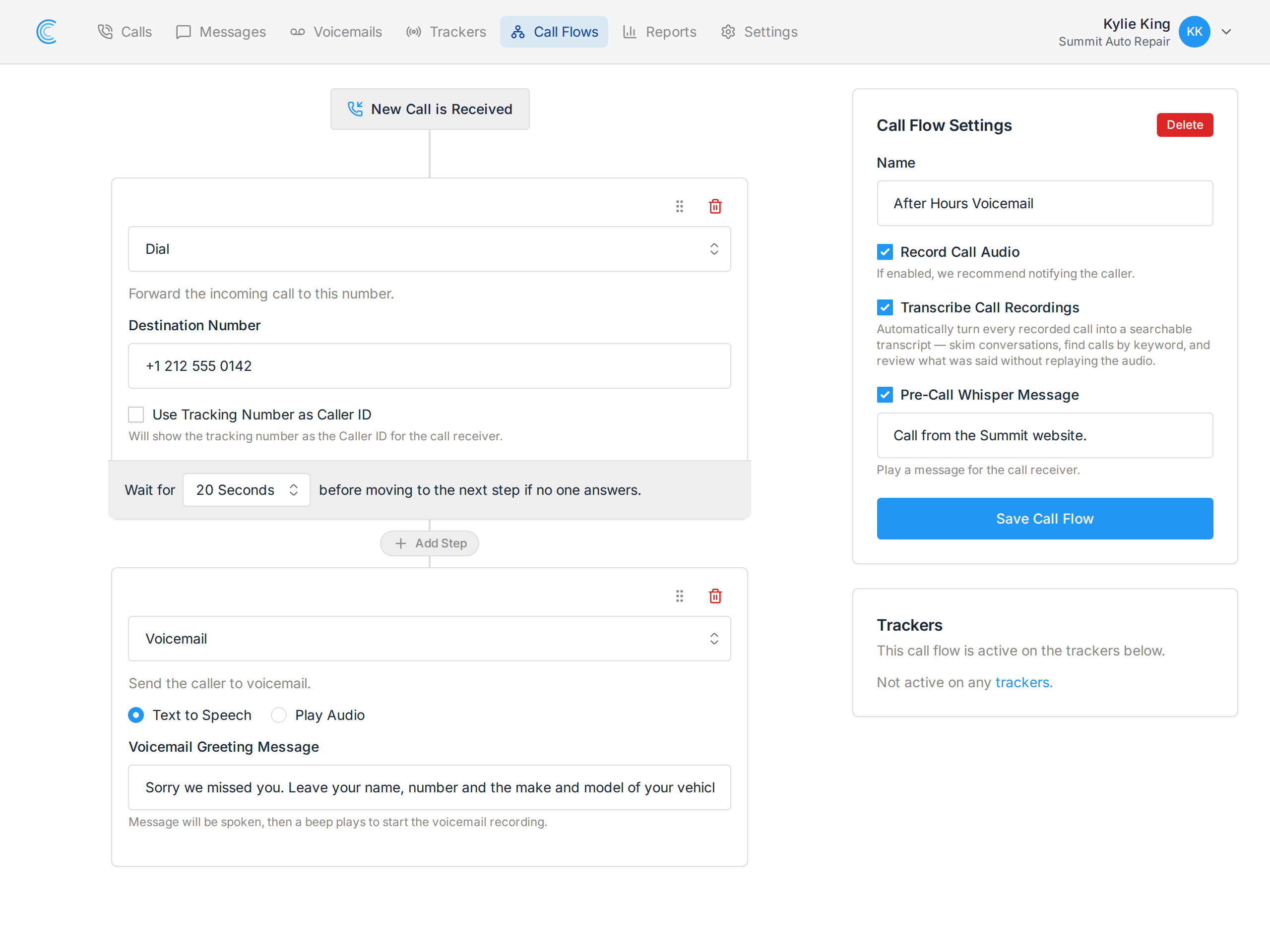
A common setup is just two steps:
- Forward Call to your main line, waiting 20 seconds.
- Voicemail if nobody answers, so the caller can leave a message rather than hitting a dead line.
Add a Greeting before the Forward Call if you want callers to hear something first.
Call Flow Settings
The panel on the right of the screenshot above applies to the whole flow, not to one step:
- Record Call Audio - records answered calls on this flow. We recommend telling callers with a Greeting step; see Call Recording and the Law.
- Transcribe Call Recordings - turns every recorded call into a searchable transcript, so you can skim a conversation instead of replaying it. Needs recording switched on.
- Pre-Call Whisper Message - a short message played to whoever answers, which the caller cannot hear. In the screenshot it's set to "Call from the Summit website." so the team knows which campaign produced the call before they speak.
Press Save Call Flow to apply any of these.
Use the Call Flow for Inbound Call Handling
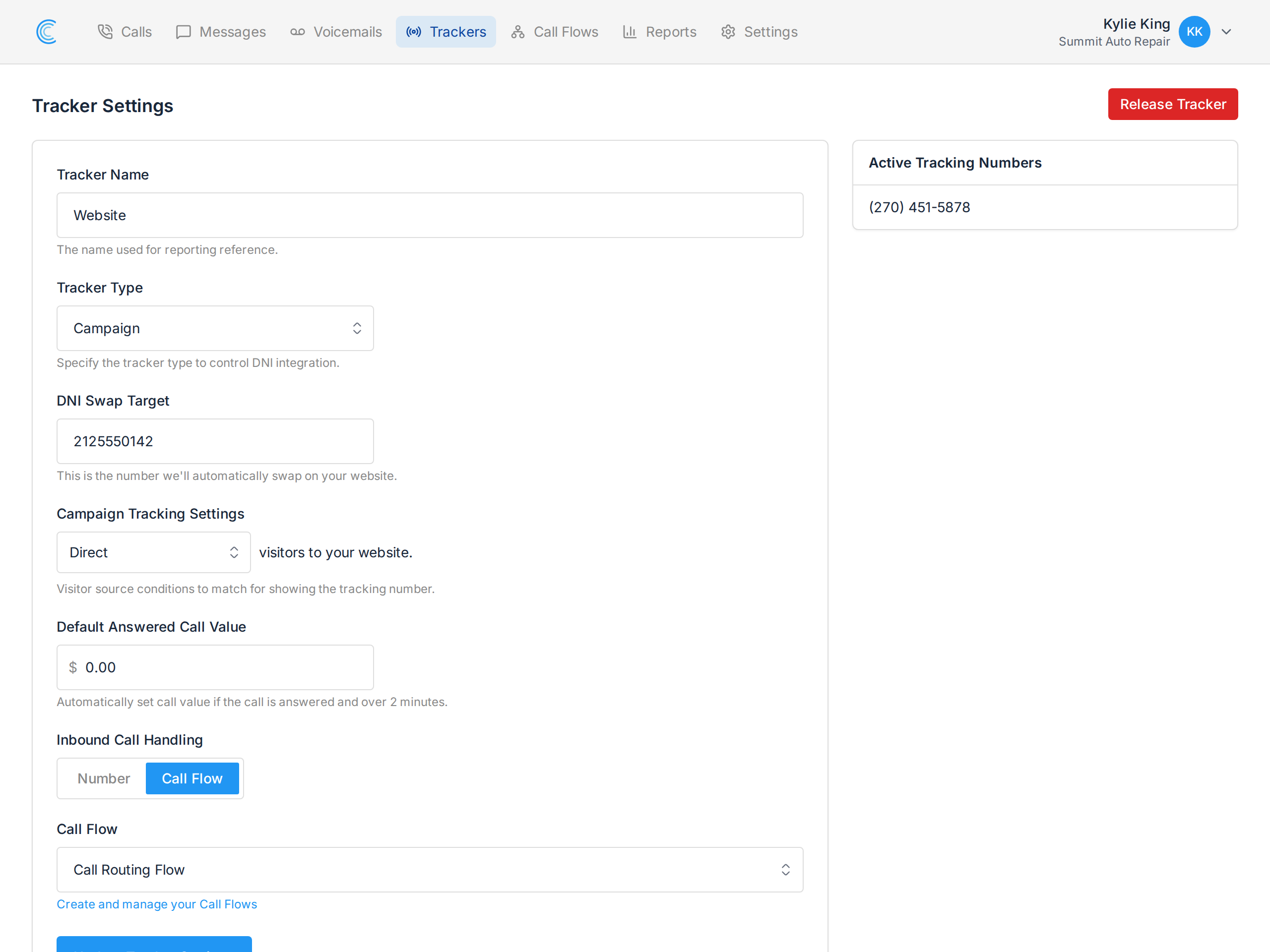
A call flow does nothing until a tracking number points at it. Go to a tracker's settings, set Inbound Call Handling to Call Flow, and pick your flow. See Use a Call Flow with a Tracking Number.
The Trackers panel on the builder page lists every tracker currently using the flow, so you can see what a change will affect before you save it.