

Every recorded call can be turned into a written transcript automatically. Instead of playing back six minutes of audio to find out whether a caller booked, you read the conversation in a few seconds.
Transcripts are produced by an AI speech-to-text model. Nobody listens to your calls to write them.
What a Transcript Looks Like
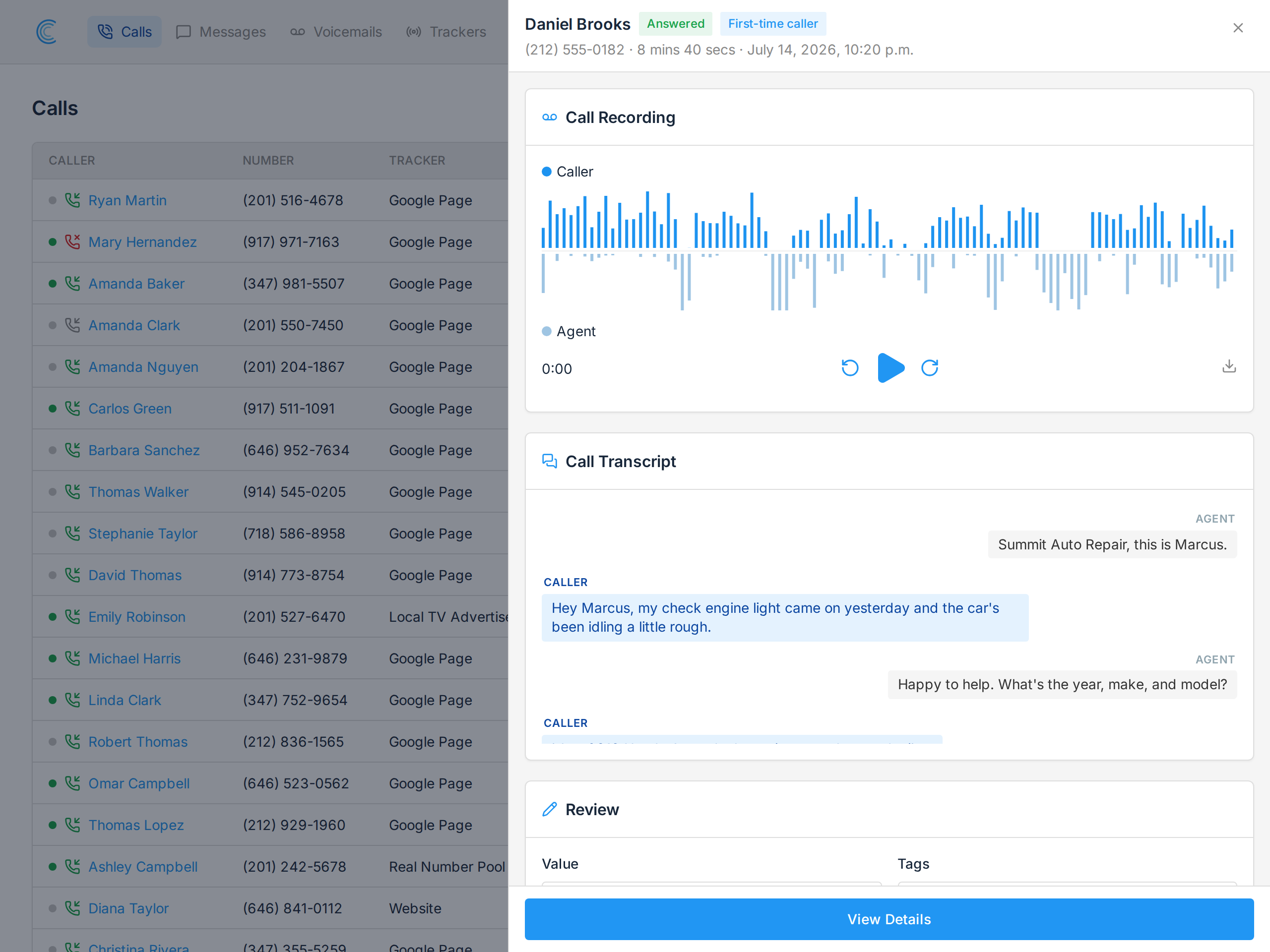
A call transcript is laid out as a conversation, not a wall of text. The caller and the person who answered appear on opposite sides, labelled Caller and Agent.
That separation is possible because we record each side of the call on its own audio channel, so the two voices never have to be told apart by guesswork.
As the recording plays, the transcript follows along and highlights the line being spoken, so you can jump between reading and listening without losing your place.
Turning It On
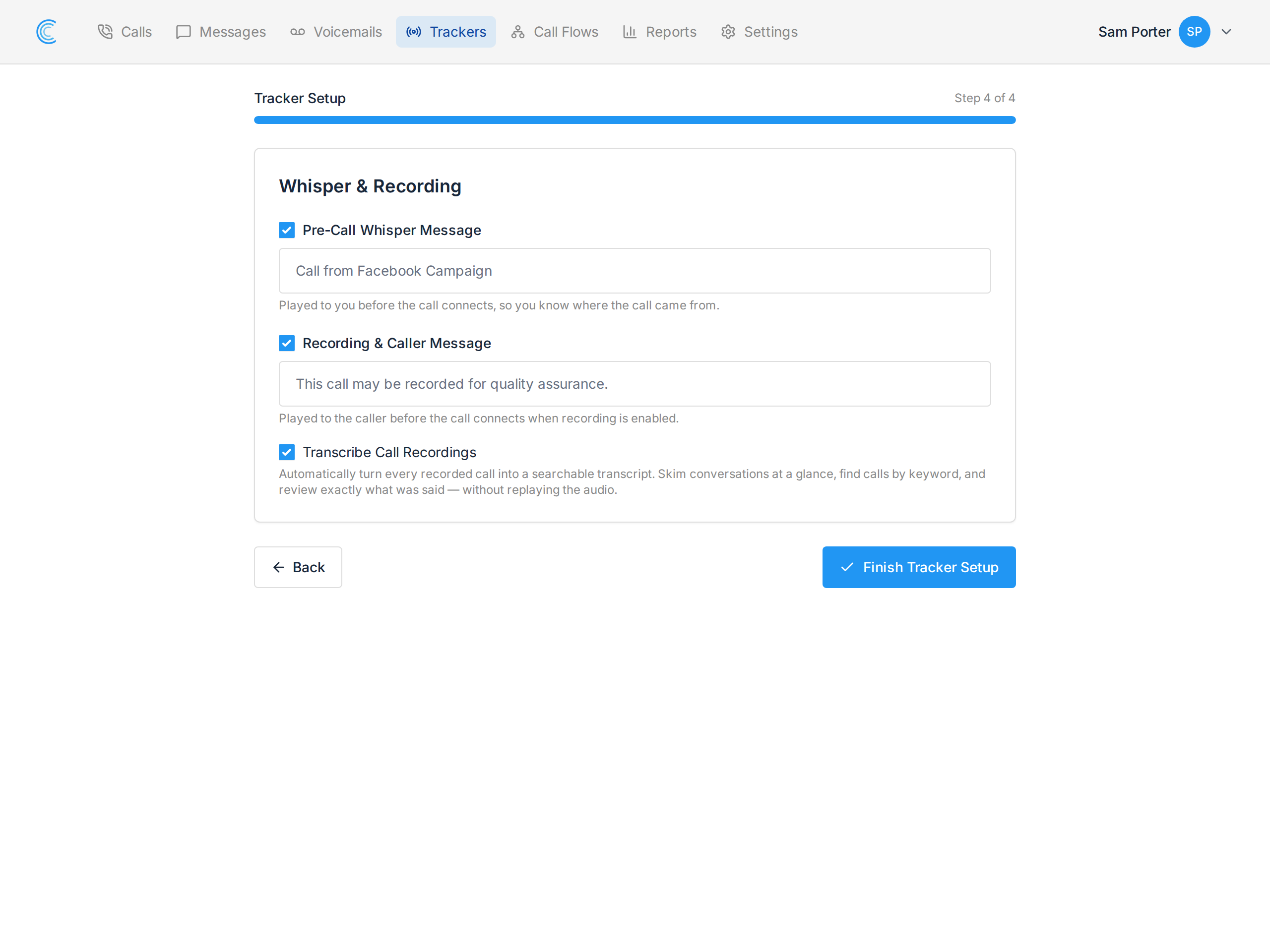
Transcription needs a recording to work from, so call recording has to be enabled first. Until it is, the transcription option stays hidden.
You can switch it on in three places, whichever suits how you've set things up:
- During tracker setup, on the Whisper & Recording step — tick Recording & Caller Message, then Transcribe Call Recordings.
- On an existing tracker, in Tracker Settings.
- On a Call Flow, in the Call Flow Settings panel — this covers every tracker using that flow, so it's the efficient choice if several numbers share one flow.
A tracker with its own setting uses that; otherwise it falls back to the setting on the call flow handling the call.
Where Transcripts Appear
- On the call's details page, under Call Transcript.
- In the review panel on the call list, so you can work through a page of calls without opening each one. See Call Tags.
Transcription runs after the call ends and the recording has been stored, so a transcript appears a short time after the call rather than instantly.
Voicemails Are Transcribed Too
Voicemail transcription is a separate setting on the Voicemail step of a call flow. A voicemail is one person talking, so it's transcribed as plain text rather than a two-sided conversation, and it's included in the voicemail email notification — often enough to tell you what the caller wanted without playing it at all.
Good to Know
- Only answered, recorded calls are transcribed. A missed call has no audio.
- Recording law applies. Transcription doesn't change your obligations — see Call Recording and the Law.
- Transcripts are not searchable from the call list yet. You can read them on a call and in the review panel, but the call filters don't search transcript text.