
We record billable usage for every company in your account, one row per billing period. It's the detail behind your invoice — what you were charged for, and which company it came from.
Finding Your Usage
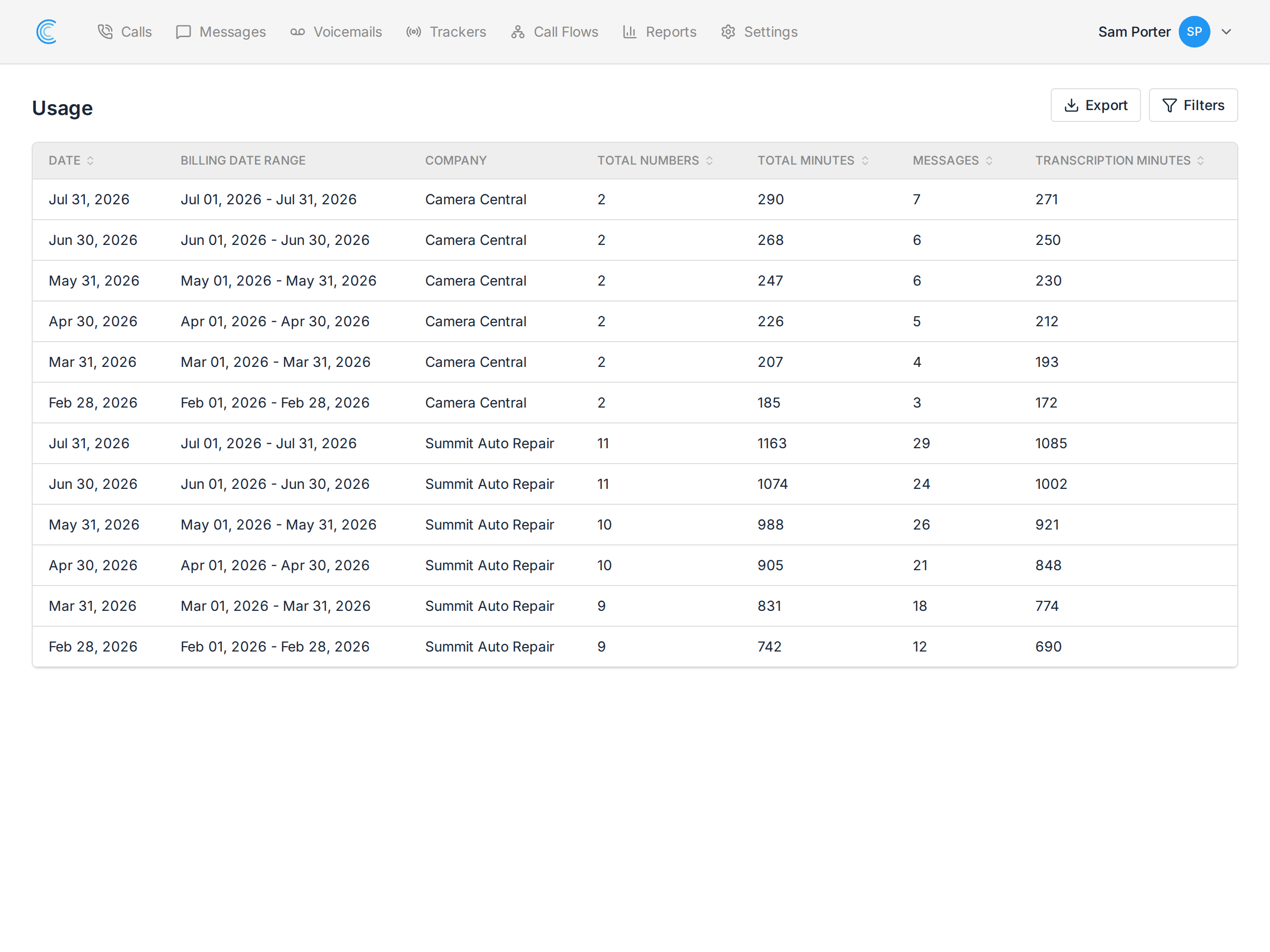
Go to Account Settings → Billing and open Usage. Each row is one company for one billing period, newest first.
What Each Column Means
- Date — the day the usage was recorded, at the close of the period.
- Billing Date Range — the period the row covers, normally a calendar month.
- Company — which company in your account the usage belongs to. This is the column that makes the page useful for agencies: one invoice, but usage attributed per client.
- Total Numbers — tracking numbers billed in that period.
- Total Minutes — call minutes, each call rounded up to the next whole minute.
- Messages — SMS sent and received.
- Transcription Minutes — minutes of audio transcribed, where transcription is enabled.
Why a Released Number Still Appears
Tracking numbers are not billed pro rata. A number released part-way through a period is still billed for that period, then drops off the next one — so a released tracker shows up once more before disappearing. See Releasing a Tracker.
That's usually the answer when a number count looks one higher than expected.
Searching and Exporting
Use Filters to narrow to a single company or date range — useful when an account has many companies and you only want one client's numbers.
Export downloads what you're looking at as a CSV, which is the quickest way to rebill usage to a client or reconcile against an invoice.
Usage and Your Invoice
Usage explains an invoice; it doesn't replace it. Charges combine your base plan with additional usage above what the plan includes, and are billed the following month. For how the plan and overage fit together, see An Overview of Call Tracker Billing.