
Billing is a base plan, with any usage above that plan added on top. Everything you need is on one page.
Where Billing Lives
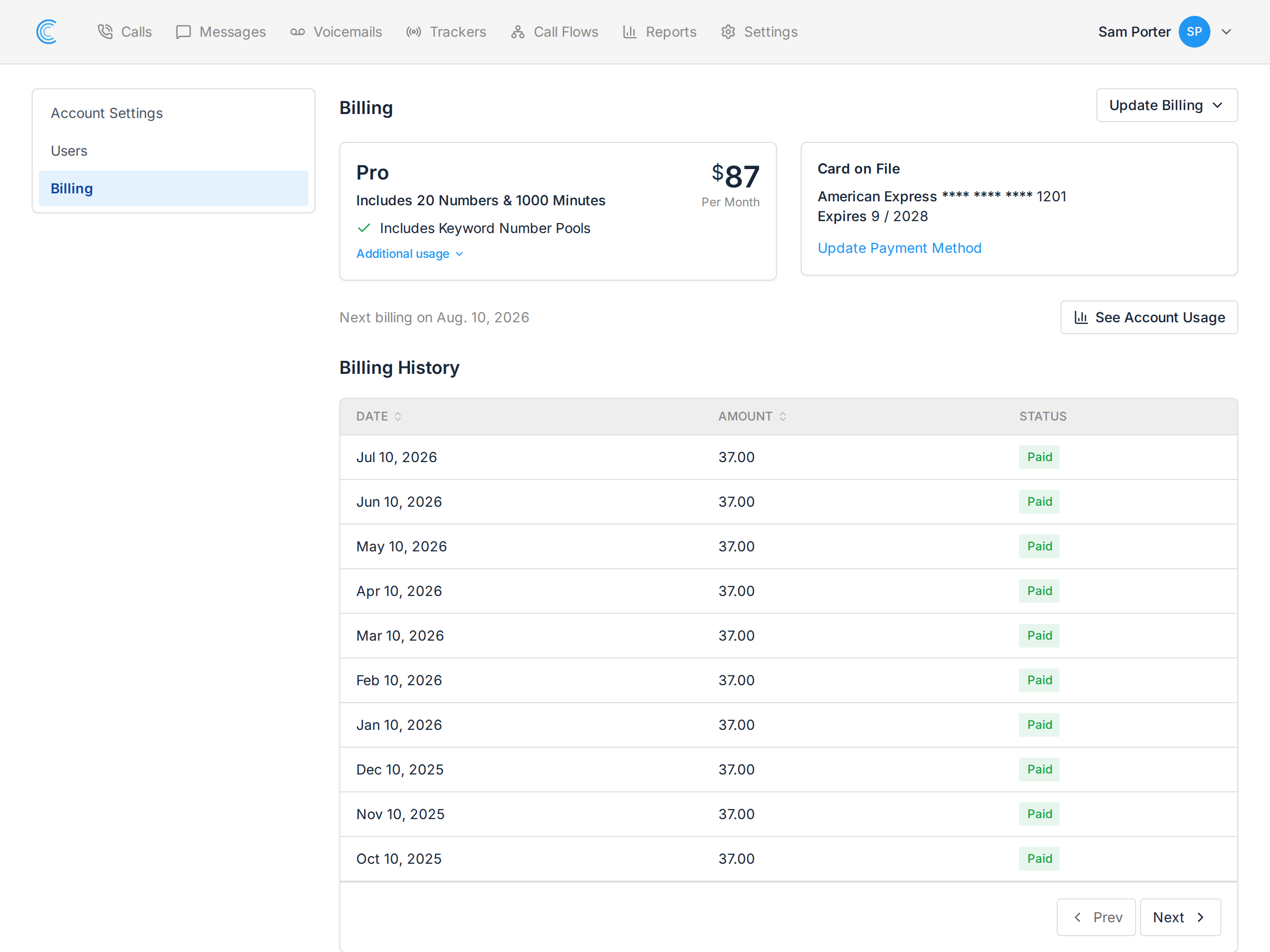
Click your name in the top right, choose Manage Account, then Billing in the left-hand menu. On this page:
- Next billing on — the date your next invoice is raised.
- Card on File with Update Payment Method — see Updating Your Credit Card.
- See Account Usage — the detailed usage breakdown.
- Billing History — every past invoice, with its amount and status. Click one to see it in full.
Change Plan and Cancel Subscription live in the Update Billing menu at the top right of that page, alongside Update Payment Method.
What You're Billed For
Three things are metered, on top of your plan:
- Tracking numbers — every phone number attached to a tracker in your account.
- Minutes — the total talk time your tracking numbers received.
- Messages — SMS sent or received on your tracking numbers.
Transcription minutes are metered separately if your plan includes AI Call Transcription.
How Minutes Are Counted
Every call rounds up to the next whole minute. A 10-second call and a 55-second call both bill as one minute. Three 30-second calls cost three minutes, not one and a half — worth knowing if you run a lot of short calls.
Calls you mark as spam aren't billed. Marking a call as spam takes its minutes out of the usage total for that period, so it's worth doing as you review. See Reviewing Calls.
How Tracking Numbers Are Counted
Numbers are not prorated. A number is billed for the full period whichever day you added it, and a number you release mid-period is still billed for that period — then drops off the next one.
The practical consequence: releasing a number on the 2nd saves you nothing that month. If you're trimming numbers to cut cost, the saving lands on the following invoice.
Reading Your Usage
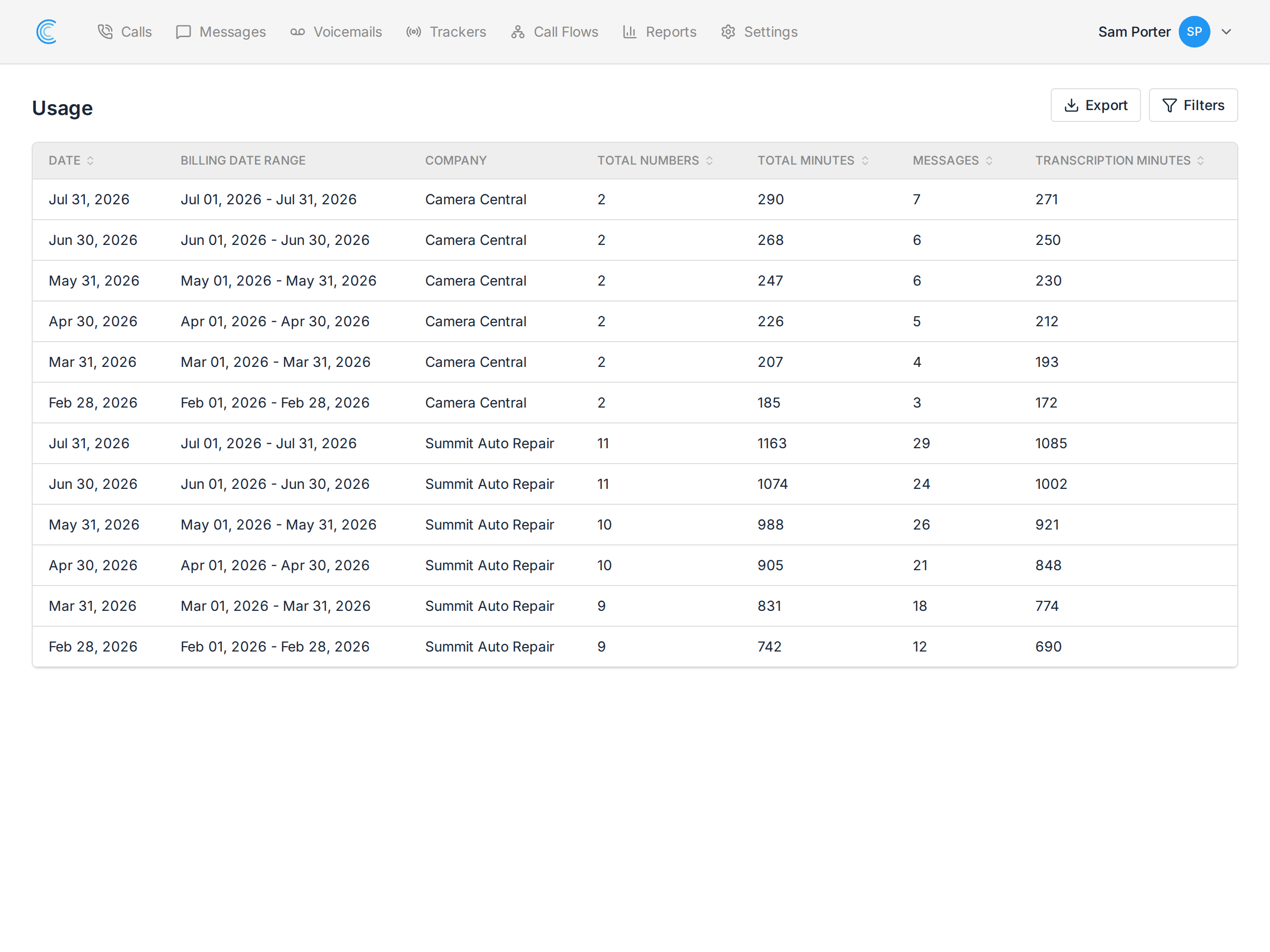
Press See Account Usage on the Billing page for a row per company per period:
| Column | Meaning |
|---|---|
| Date / Billing Date Range | the period the row covers |
| Company | which company the usage belongs to |
| Total Numbers | tracking numbers billed in that period |
| Total Minutes | talk time, rounded up per call |
| Messages | SMS sent and received |
| Transcription Minutes | audio transcribed |
If you run several companies, this is the page that tells you which one is driving the bill — useful for agencies passing costs on to clients.
Timing
Usage above your plan in one period appears on the next invoice. So this month's bill is your plan for the coming month, plus the overage from the month just finished. A busy month shows up on the invoice after it, not during it.
Payment
We accept credit cards. Your card is charged automatically on the billing date shown on the Billing page — nothing to do each month.
If a payment fails, update the card on that same page and the charge is retried. See Updating Your Credit Card.