
When nobody answers, a voicemail is the difference between a missed call and a lead. Every voicemail left on your tracking numbers is collected here, with the recording, a transcription, and a link back to the call it came from.
Important Callers can only leave a voicemail if a Voicemail step exists in a call flow that is handling inbound calls. Without one, an unanswered call simply ends.
All Your Voicemails
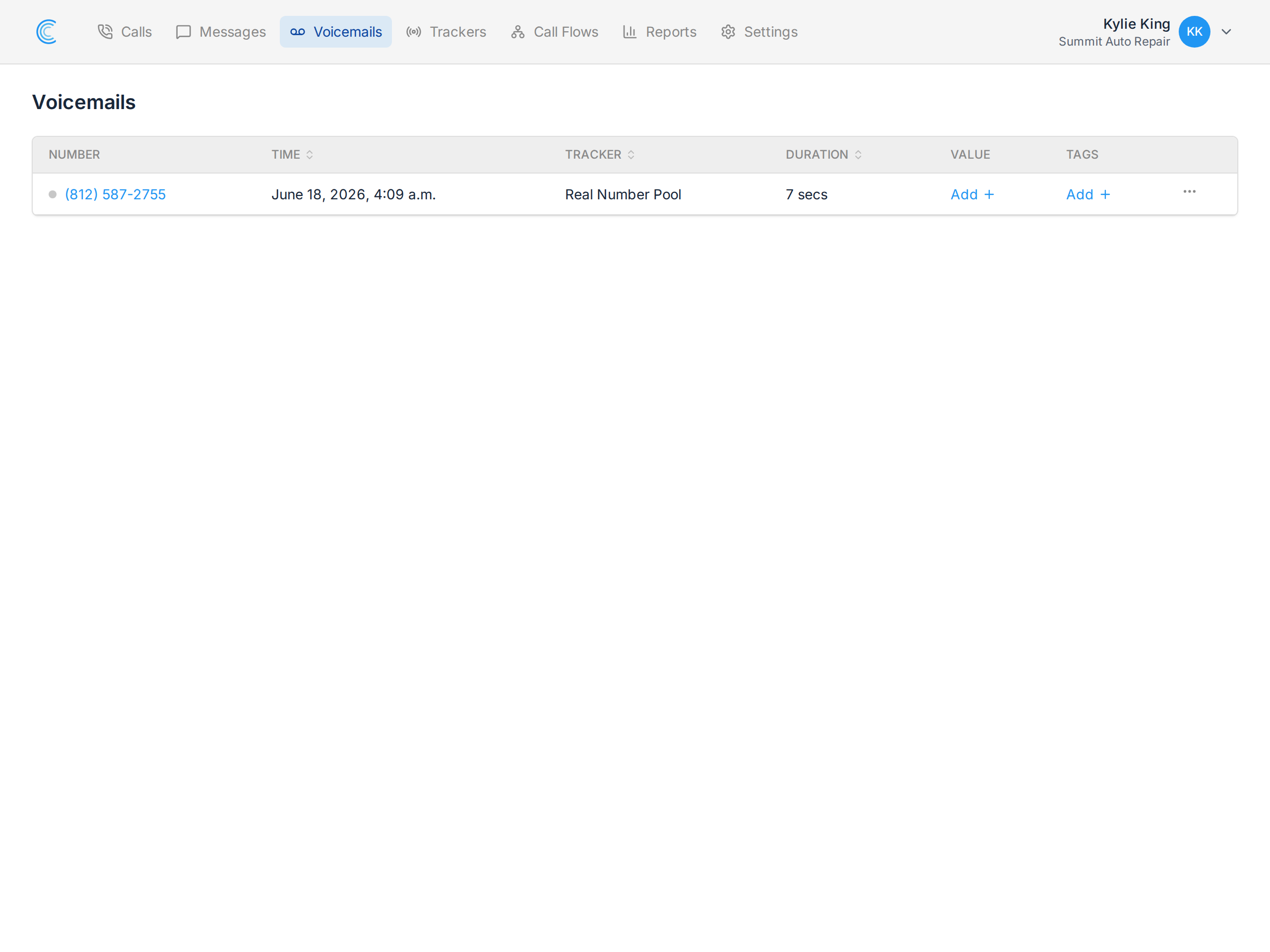
Open Voicemails in the navigation bar. Each row shows who called, which tracking number they rang, when, and how long the message runs.
Voicemail Details
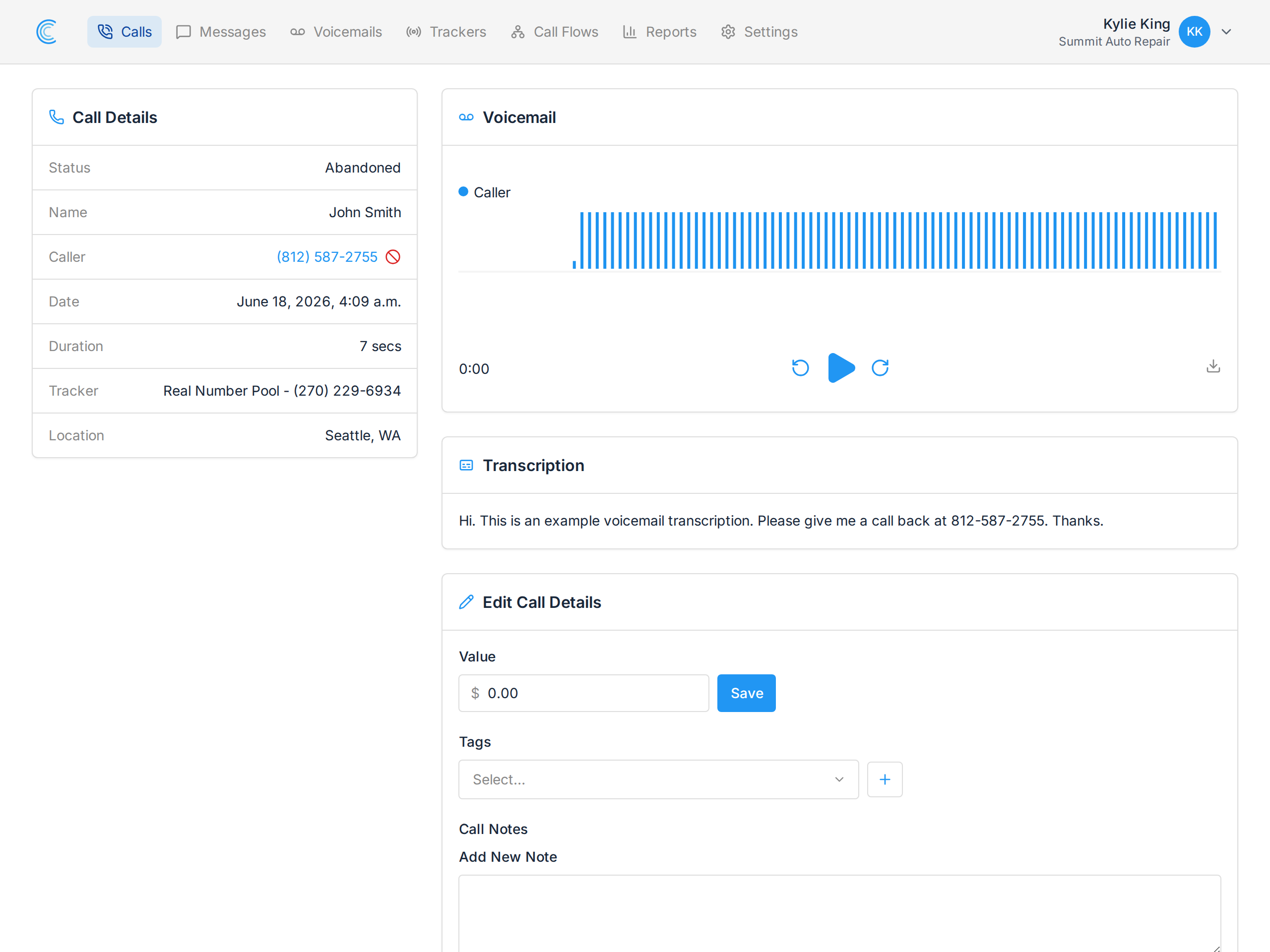
Open a voicemail to see the whole picture:
- Call Details — the caller, the tracker, the time, and where they were calling from.
- Voicemail — a player with the waveform, so you can skip to where the message actually starts.
- Transcription — the message as text, when transcription is enabled on the voicemail step.
- Edit Call Details — the same value, tags and notes as any other call, because a voicemail is a call.
Reading Instead of Listening
Transcription is what makes a voicemail queue quick to work through. Instead of playing each message to find out whether it's a customer or a supplier, you skim the text and play only the ones that matter.
The transcription is also included in the voicemail email notification, so you often know what a caller wanted before you open the app at all. See Voicemail Notifications.
Voicemails Count as Calls
A voicemail is attached to the call that produced it, so it carries the same tracker, source and campaign attribution as any other call, and appears in your call reports. Tagging and valuing a voicemail works exactly as it does for an answered call — worth doing, because a voicemail that turns into a customer is attributable revenue.