
Tracker settings can be adjusted on an ongoing basis to fit your requirements.
Accessing a Tracker's Settings
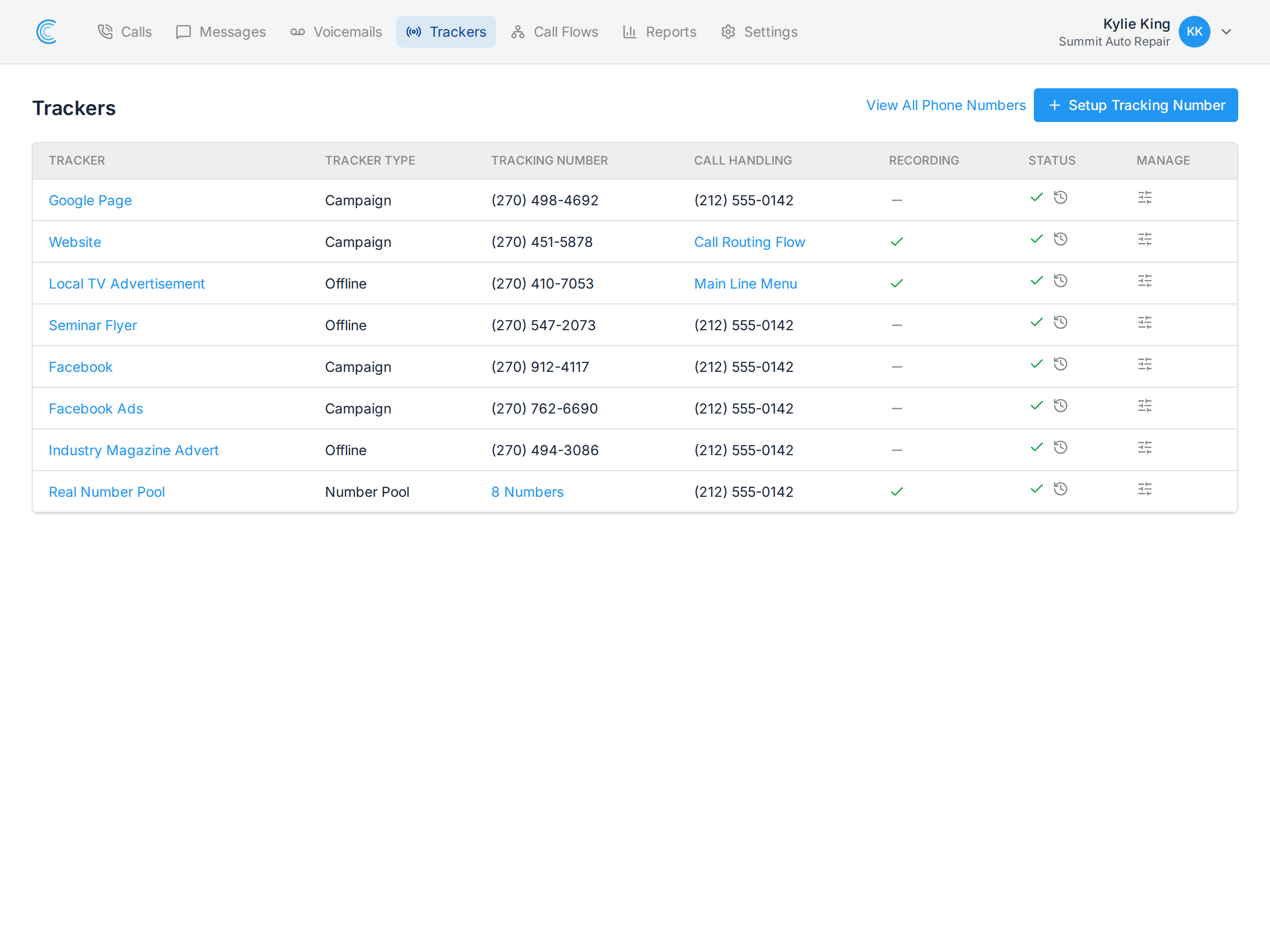
To access a tracker's settings, go to your Trackers page and click the manage icon in the Manage column for the tracker you want to update.
Updating Tracker Settings
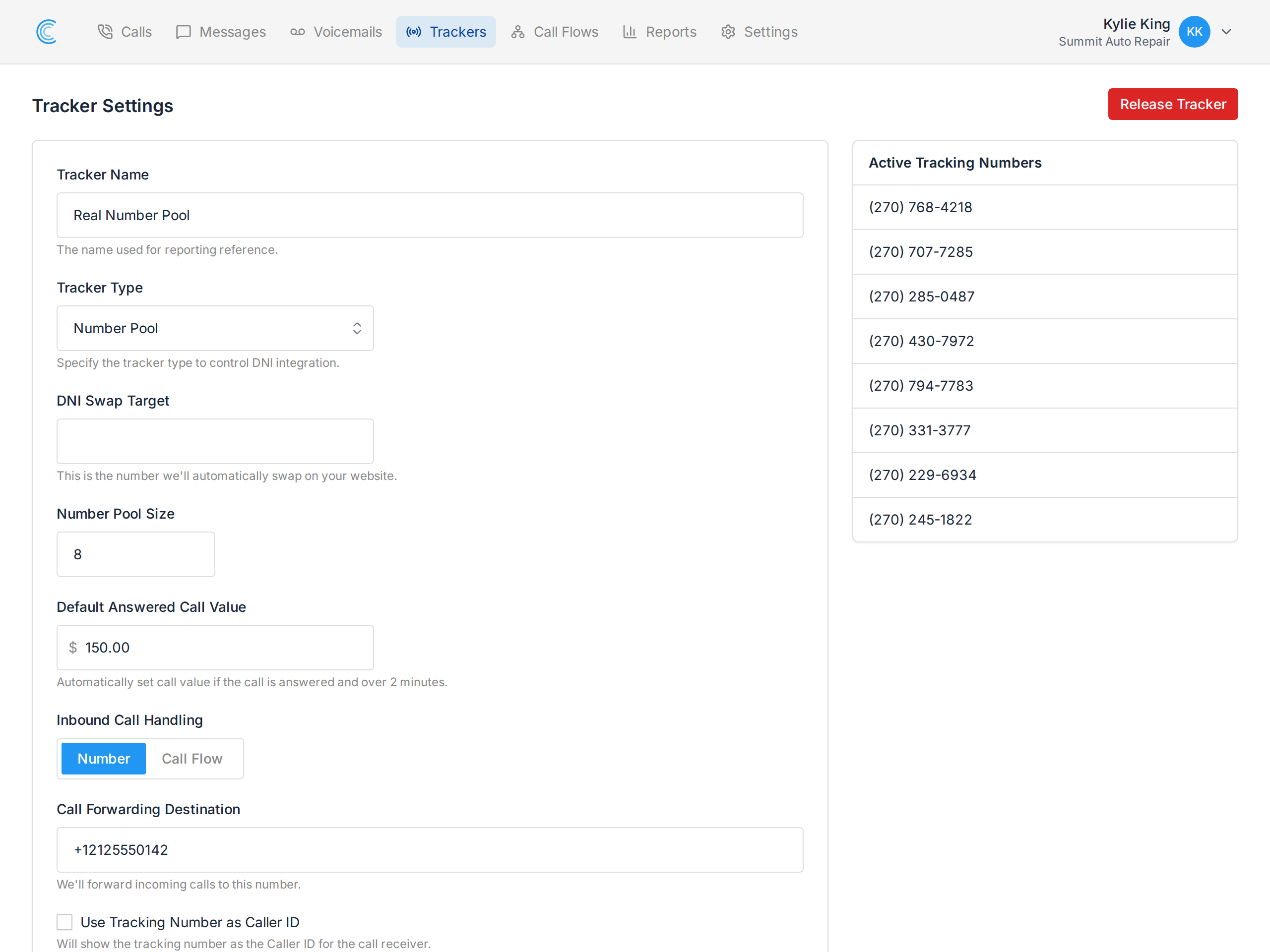
Tracker settings that can be updated:
- Tracker Name - the name used as reference for calls and reporting.
- Tracker Type - whether the tracker is a Campaign, Number Pool, or Offline tracker.
- DNI Swap Target - the number on your site that we'll swap with the tracking number.
- Number Pool Size - upsize or downsize the size of a number pool.
- Campaign Tracking Settings - the campaign conditions to match for swapping the number.
- Default Answered Call Value - a value automatically applied to answered calls over two minutes. See Attributing Call Value.
- Inbound Call Handling - forward calls to a single Call Forwarding Destination number, or hand them to a Call Flow for custom handling.
- Pre-Call Whisper Message - a short message played to whoever answers, which the caller cannot hear, so they know which campaign the call came from.
- Recording & Caller Message - turns on call recording, along with the message the caller hears before the call begins.
- Transcribe Call Recordings - turns on AI transcription for this tracker's calls. Only available when recording is enabled, since there has to be audio to transcribe.
Once you're done editing the settings, press Update Settings and your changes will be saved.
AI Call Transcription
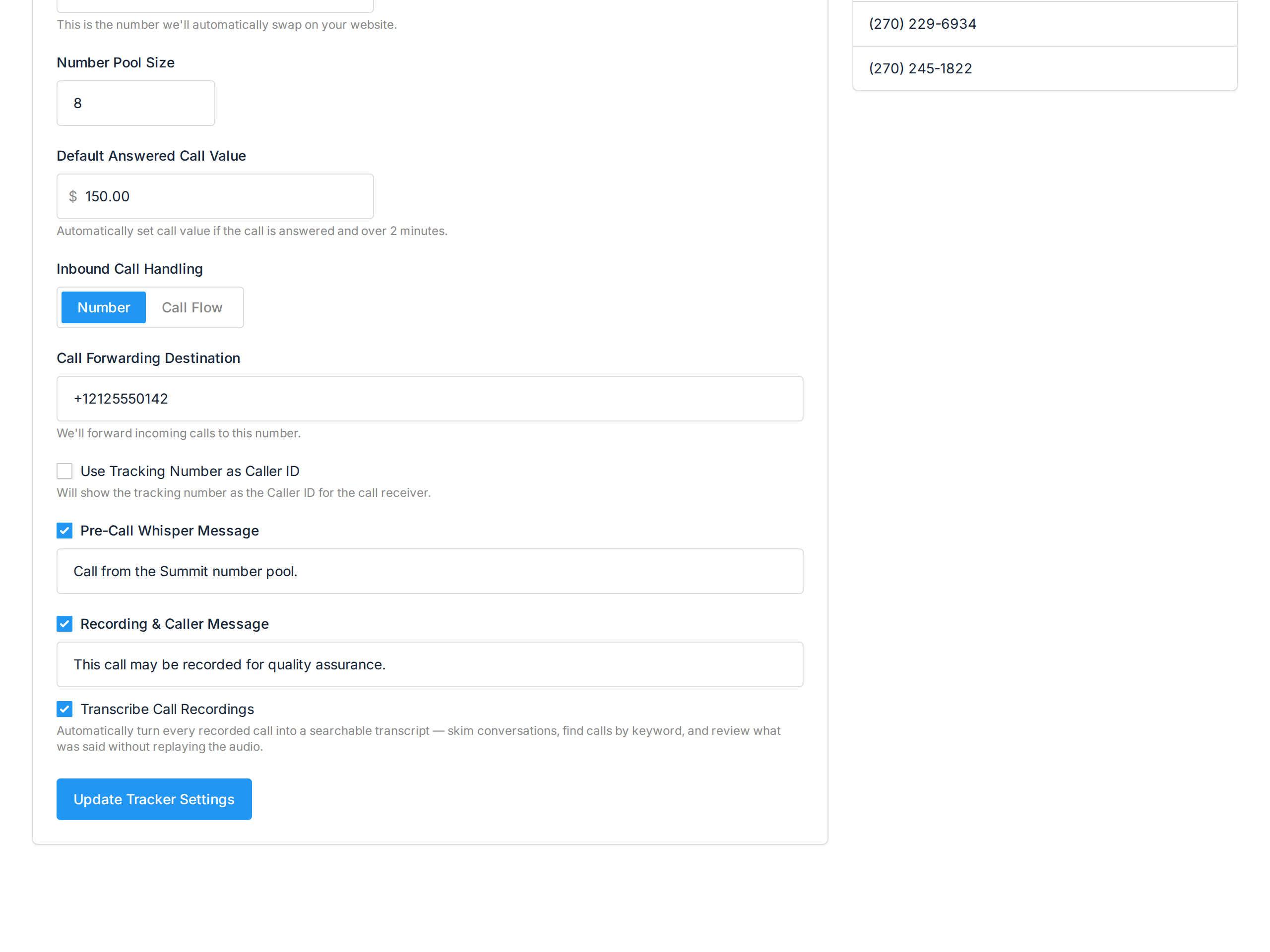
With Transcribe Call Recordings enabled, every recorded call on this tracker is transcribed automatically. Calls are recorded with the caller and the person answering on separate audio channels, so the transcript reads as a conversation with each speaker labelled rather than one block of text.
The transcript appears on the call's details page under Call Transcript, and clicking any line jumps the recording to that moment.