
Your voicemails can be transcribed into text automatically. We use an AI speech-to-text model to turn the voicemail audio into text, so you can read a message instead of listening to it, and search it later.
The transcription is included in the voicemail email notification and shown on the voicemail's details, so in most cases you can tell what a caller wanted without playing the recording at all.
Enable Voicemail Transcription In Your Call Flow
To enable transcriptions, select the Transcriptions option on the Voicemail Step in your Call Flow.
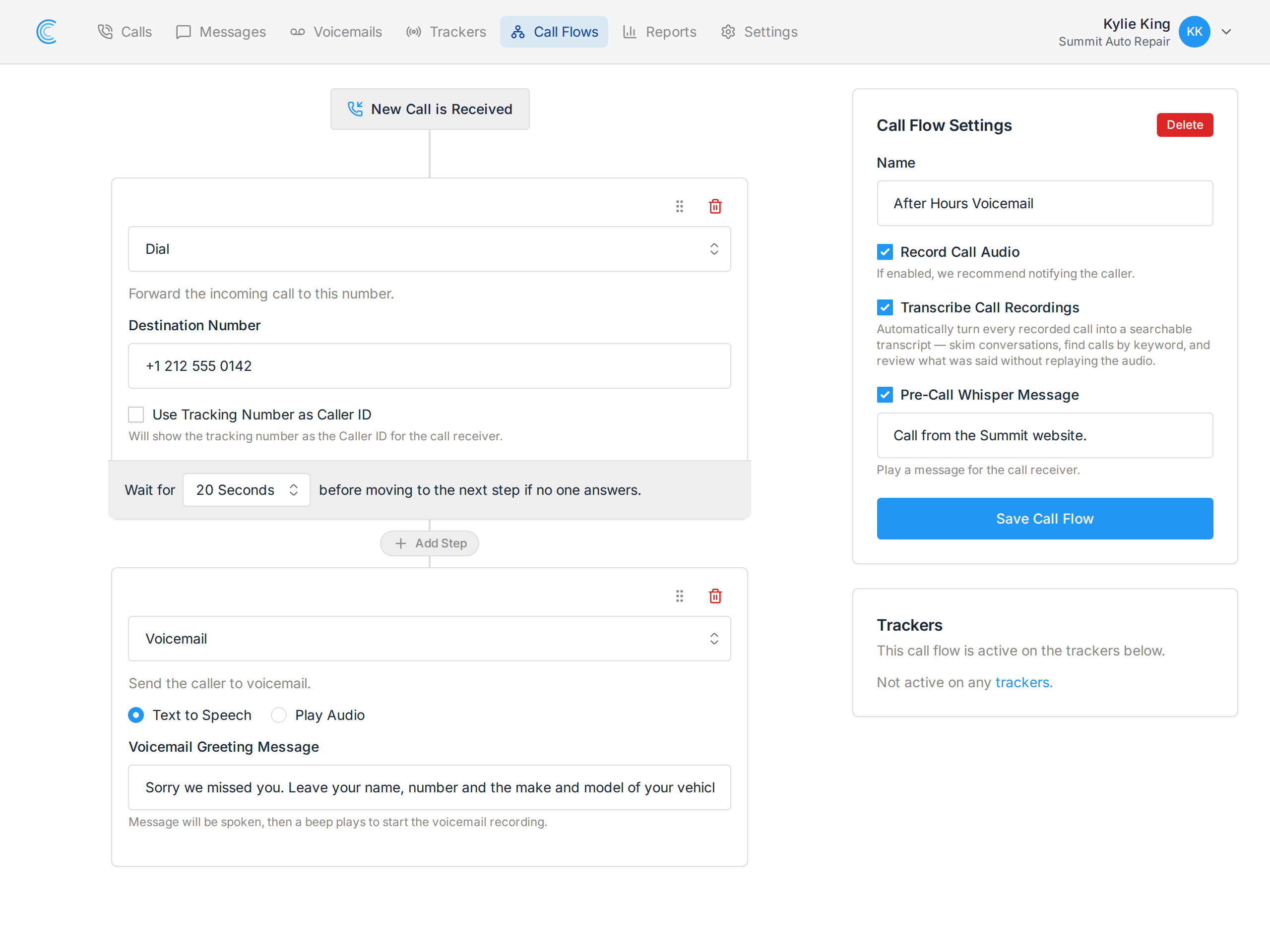
Example Voicemail Transcription
Once transcriptions are enabled, new voicemails are transcribed as they arrive. The text is added to the voicemail details and sent with the email notification.
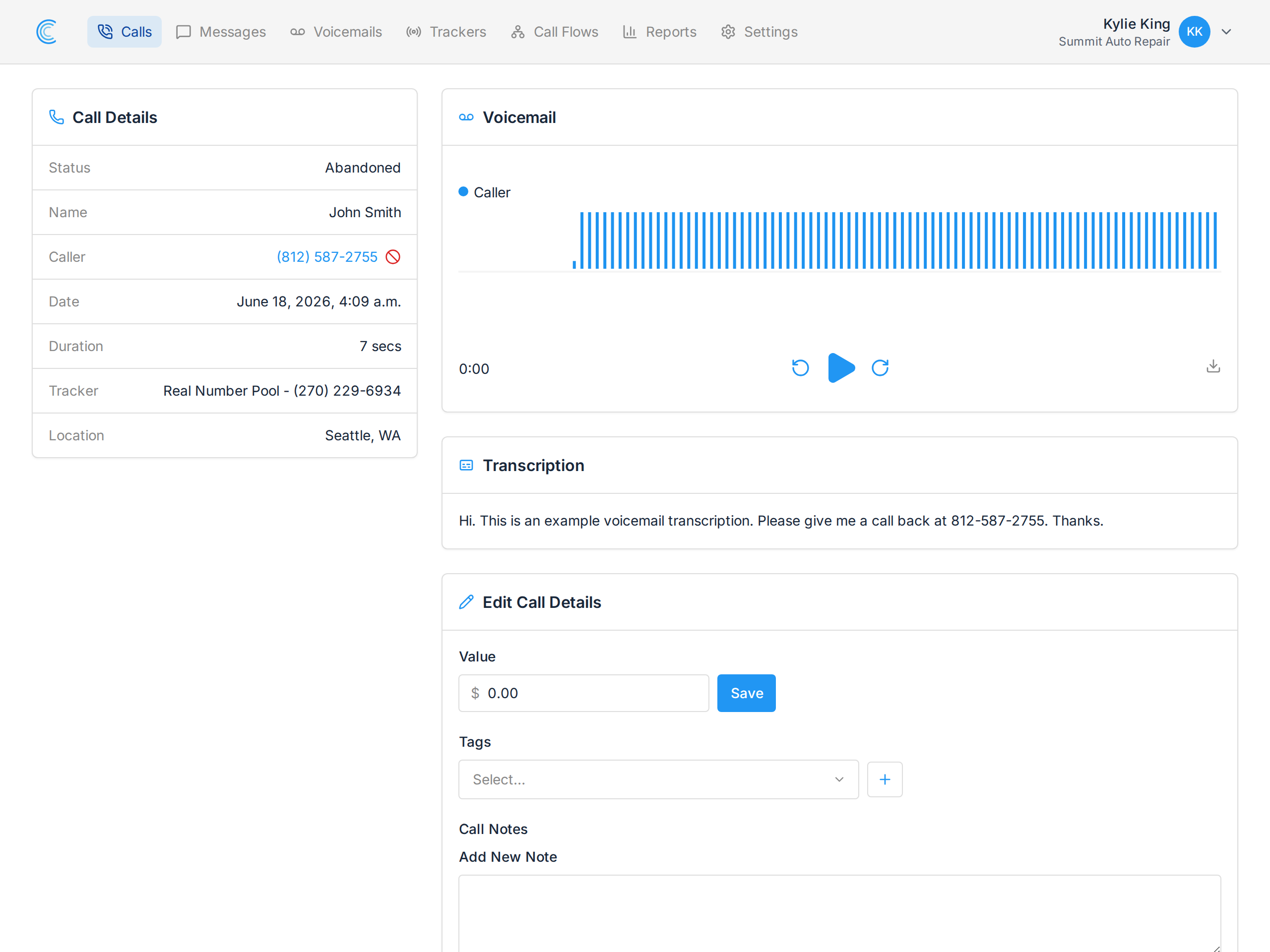
Transcribing Calls As Well
Voicemails are transcribed as a single speaker. Regular phone calls can be transcribed too, and because both sides of a call are recorded on separate audio channels, a call transcript is laid out as a conversation with the caller and the person answering labelled separately.
Call transcription is turned on per tracker with Transcribe Call Recordings. See Updating Tracker Settings.